Globe
Explore where your users are located and see their activity on an interactive globe.
The Globe shows where activity is coming from and lets you inspect individual users directly from the map. Click on the Globe item from your project navigation to get started.
Choose a time range
Use the time range selector to choose the period you want to explore. The Globe shows users that were active during that period.
A user shown on the Globe isn’t necessarily online now: check their online indicator to see their current status. If you only want to see users who are currently online, select Live as time range.
Live updates
With time ranges like Last 24 hours, the Globe refreshes automatically as new activity comes in. You can leave it open and follow along without reloading the page.
When new users join, notifications appear above the Users panel. Select a notification to jump to that user on the globe.

Explore the globe
Drag to rotate the globe and scroll or pinch to zoom. You can also use the controls to pause or resume automatic rotation, reset the zoom, or lock interaction to prevent accidental movement.
Each marker represents a user or a group of nearby users. Grouped markers show a count of the users they contain.
Inspect a user
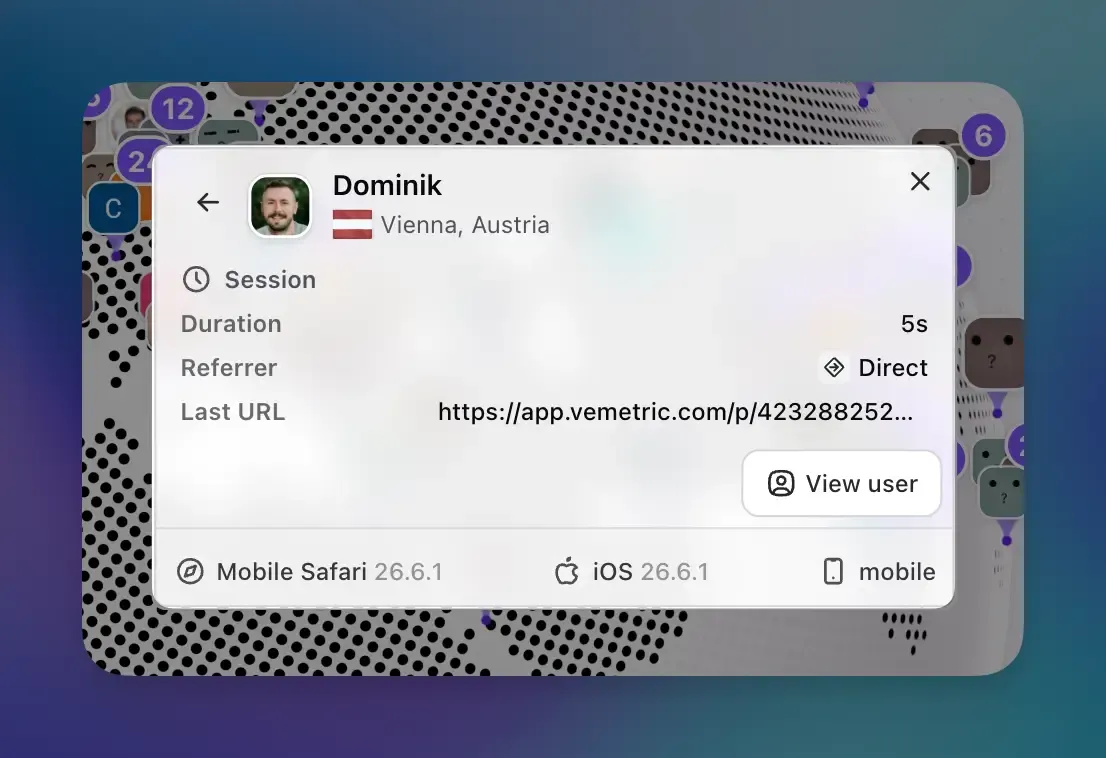
Click a marker to open the user’s details. If the marker contains several users, select one from the list first.
Depending on the available data, the card shows:
- The user’s name or identifier, city, and country
- Online status and current session duration
- Their current or latest page and referrer
- Browser, operating system, and device type
Select View user to open their full User Journey, including their event timeline and previous sessions.
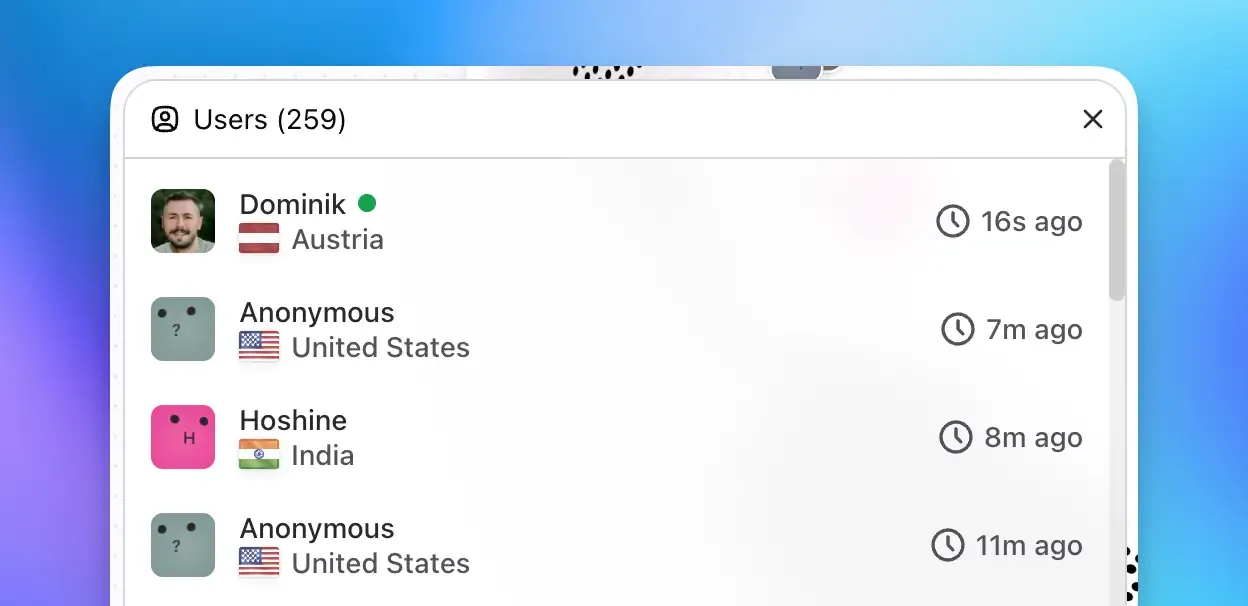
Browse the Users panel
Open Users to see everyone who was active in the selected time range. Select a user with location data to focus the globe on their marker and open their details.