Vemetric REST API
Here you can find all the information you need to get started with our API.
The Vemetric API lets you read project data and integrate Vemetric into your own tooling.
Base URL
The API is available at https://api.vemetric.com
We also have an OpenAPI Spec (openapi.json) for easy integration with API clients and documentation tools.
Authentication
Authenticate using your private API key as a bearer token:
Keep your API key private
Never expose private API keys in frontend code. Use your backend or serverless functions for API calls.
Manage API Keys
API Keys are managed per project, so you need to visit the settings page of your project and navigate to the API tab. There you can create new keys and revoke existing ones.
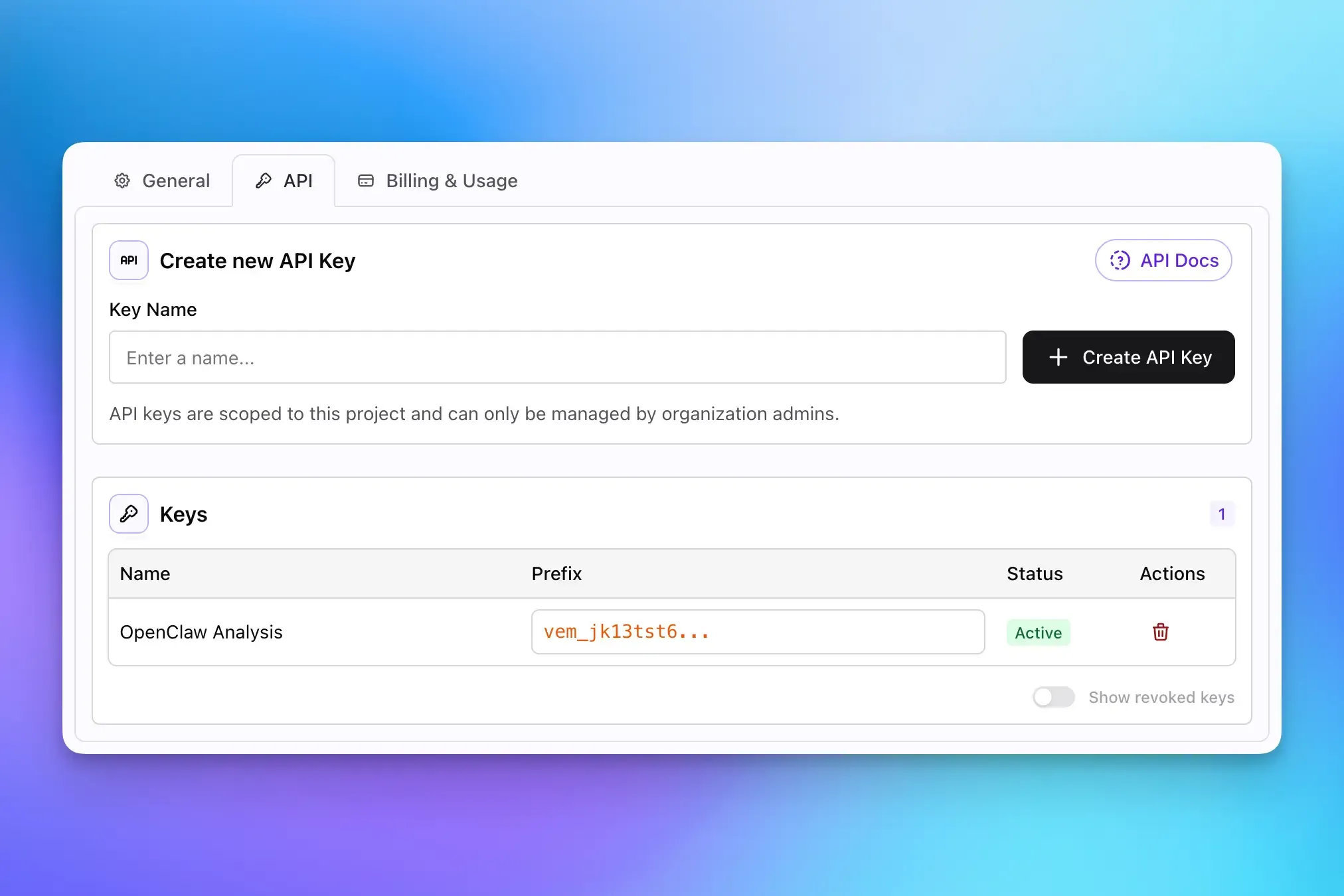
Once you’ve created the API Key, make sure to copy it and store it securely. You won’t be able to see the full key again after you leave the page.
Treat your API keys like passwords. Store each key in your secrets manager or environment variables, never in source code. Avoid sending keys in URLs or logs; always use the Authorization header.
If a key gets compromised:
- Revoke the affected key in Project Settings.
- Create a replacement key.
- Update all dependent services and redeploy.
- Monitor for new
401errors from services that still use the old key.
Rate Limiting
The API is rate limited to protect service availability and ensure fair usage across projects. You’re allowed to send 100 requests per minute per project.
If you exceed the limit, the API responds with 429 Too Many Requests and a RATE_LIMIT_EXCEEDED error code.
When this happens, use exponential backoff (and jitter) in your client and avoid immediate retry loops. For high-volume integrations, batch requests where possible and cache responses when appropriate.
Endpoints
Here you can see all the available endpoints, categorized by their functionality. Click on each endpoint to see more details about the request and response format, as well as example requests.
/v1/analytics/query
Query analytics metrics with optional grouping, sorting and filters.
/v1/filters/values
Returns available filter values for one or more fields with pagination.
/v1/funnels/{id}
Returns results for a funnel in the given date range and with optional filters.
/v1/users/events
Returns events for one user within a specified date range and with optional filters.
As API Keys are currently scoped to projects, all endpoints operate and return data corresponding to the project linked to the provided API key.
Track your data via the Go SDK for Vemetric.