Your sales team is calling every free trial signup on the list, in order, hoping someone picks up.
Most don’t. A few take the call and ghost after the demo.
And then there’s the small group who already invited three teammates, connected an integration, and hit their plan’s usage limit twice this week.
Nobody has called them yet, and they’re already closer to buying than anyone else on that list.
That gap is exactly what a product qualified lead (PQL) is built to close.
Instead of guessing who’s ready to buy from a form fill or a job title, a PQL strategy uses what people actually do inside your product as the signal. According to ProductLed’s benchmark survey of 600+ B2B SaaS companies, free accounts convert to paid at just 9% on average, but when a company uses PQLs to identify its highest-intent users, that conversion rate climbs to roughly 25%, and as high as 39% for higher-value contracts.
This guide covers what a PQL is, how it differs from an MQL, real examples from companies like Slack and Dropbox, and a practical framework for building your own PQL scoring model.
What Is a Product Qualified Lead (PQL)?
A product qualified lead (PQL) is a user who has experienced real value inside your product and shown behavior that signals they’re ready to pay for more of it.
Not a demo request. Not a whitepaper download. An action taken inside the product itself that mirrors what your paying customers did right before they upgraded.
A PQL is qualified by two things happening together:
- Fit: They roughly match your ideal customer profile (company size, industry, role, or use case)
- Behavior: They’ve reached your product’s activation moment and gone beyond it, through usage depth, frequency, or team growth.
Neither one alone is enough. A perfect-fit prospect who logged in once and never came back isn’t a PQL. Neither is a highly engaged user who could never afford your paid plan. The overlap of the two matters.
If you’re mapping this against a broader growth model, a PQL sits right at the handoff between the Activation and Revenue stages in a framework like AARRR.
For multi-seat B2B products, this same idea scales up to the product qualified account (PQA): instead of scoring one person, you score the whole account once enough people inside it are actively using the product.
PQL vs MQL vs SQL: What’s the Difference?
These three lead types get confused constantly, and mixing them up is usually how sales teams end up chasing the wrong people.
- MQL (Marketing Qualified Lead): Content downloads, webinar sign-ups, and email engagement
- SQL (Sales Qualified Lead): Manual vetting by a rep against budget, authority, need, and timeline
- PQL (Product Qualified Lead): Real usage of the product: features adopted, milestones hit, and teammates invited
The core difference is what they’ve done, not what they’ve said. An MQL raised their hand through marketing content. A PQL raised their hand by using the product the way a paying customer would.
That difference shows up directly in the data. OpenView’s work across its portfolio found that leads who qualify themselves through product usage convert at roughly 5x the rate of an average lead.
Separately, ProductLed’s benchmark study puts PQL-driven conversion at about 3x higher than free-to-paid conversion with no PQL model in place.
How to Identify Product Qualified Leads
Spotting a PQL means combining two layers of data: who someone is, and what they’re actually doing.
Fit signals (who they are):
- Company size and industry
- Job title or role (decision-maker vs. individual contributor)
- Number of teammates already in the account
- Tech stack or tools they’ve connected
Behavioral signals (what they do):
- Completed your product’s activation event, the specific action that marks their first real value moment
- Adopted multiple core features, not just the one they signed up for
- Return visits and session frequency during the first two weeks
- Invited teammates or created a shared workspace
- Hit a usage limit or plan ceiling
- Connected an integration
- Visited your pricing or upgrade page while still in a trial
None of this is visible unless you’re actually tracking product events in the first place. Most teams that say “we don’t have enough data to build a PQL model” haven’t instrumented the right events yet.
Real PQL Examples From SaaS Companies
Seeing how other companies define their own PQL threshold makes the concept a lot less abstract.
Slack
Slack’s team found that once a team exchanged 2,000 messages, they had genuinely tried the product and were far more likely to keep paying long term.
That single number became the north star for their entire onboarding strategy, with everything designed to help teams reach it faster.
Dropbox
One file, one folder, one device. Dropbox kept its activation and PQL signal deliberately simple: A user placing a single file into the product within their first session.
It’s a small action, but it’s the exact moment the product starts doing its job, keeping a file safe and accessible.
How to Build a PQL Scoring Model
A PQL scoring model turns a gut feeling about “who seems engaged” into a number your sales and marketing teams can actually act on.
1. Define your product’s core value moment:
Before you can score anything, you need to know your activation event: the specific action that separates users who stick around from users who churn in the first two weeks. The faster someone reaches this moment, the stronger the signal tends to be, which is why reducing time-to-value and PQL scoring are usually built side by side.
2. List the behaviors that follow activation:
Once someone is activated, what does deeper engagement actually look like? Feature adoption, usage frequency, and account growth (like inviting teammates) are the usual candidates.
3. Add fit criteria, but only where it changes your motion:
If your product genuinely serves anyone from a solo freelancer to a 500-person team, keep fit scoring light. If your contract value depends heavily on company size, weigh it more.
4. Assign points and set a threshold:
Here’s a simplified example for a typical B2B SaaS product:
- Completed the core activation event (+20)
- Used 3+ features in the first 14 days (+15)
- Invited at least 1 teammate (+25)
- Returned 5+ times in the first 2 weeks (+15)
- Hit a plan or usage limit (+20)
- Matches target company size or industry (+10)
- Visited the pricing page during the trial (+10)
Tracking and Scoring PQLs With Product Analytics
None of the scoring works without real visibility into what users are doing inside your product. That’s where a proper analytics setup earns its keep.
To score PQLs accurately, you need:
- Custom event tracking for your specific activation moment and any milestone actions, like invites, integrations, or usage limits
- Funnel reports that show what percentage of trial or free users progress from signup to your PQL threshold, filterable by segment
- Individual user journeys so you can see the exact path a converted customer took, not just an aggregate percentage
- Real-time event streams to catch high-intent behavior, like hitting a usage cap, while it’s still worth acting on
Vemetric gives you this without the setup overhead of enterprise analytics platforms.
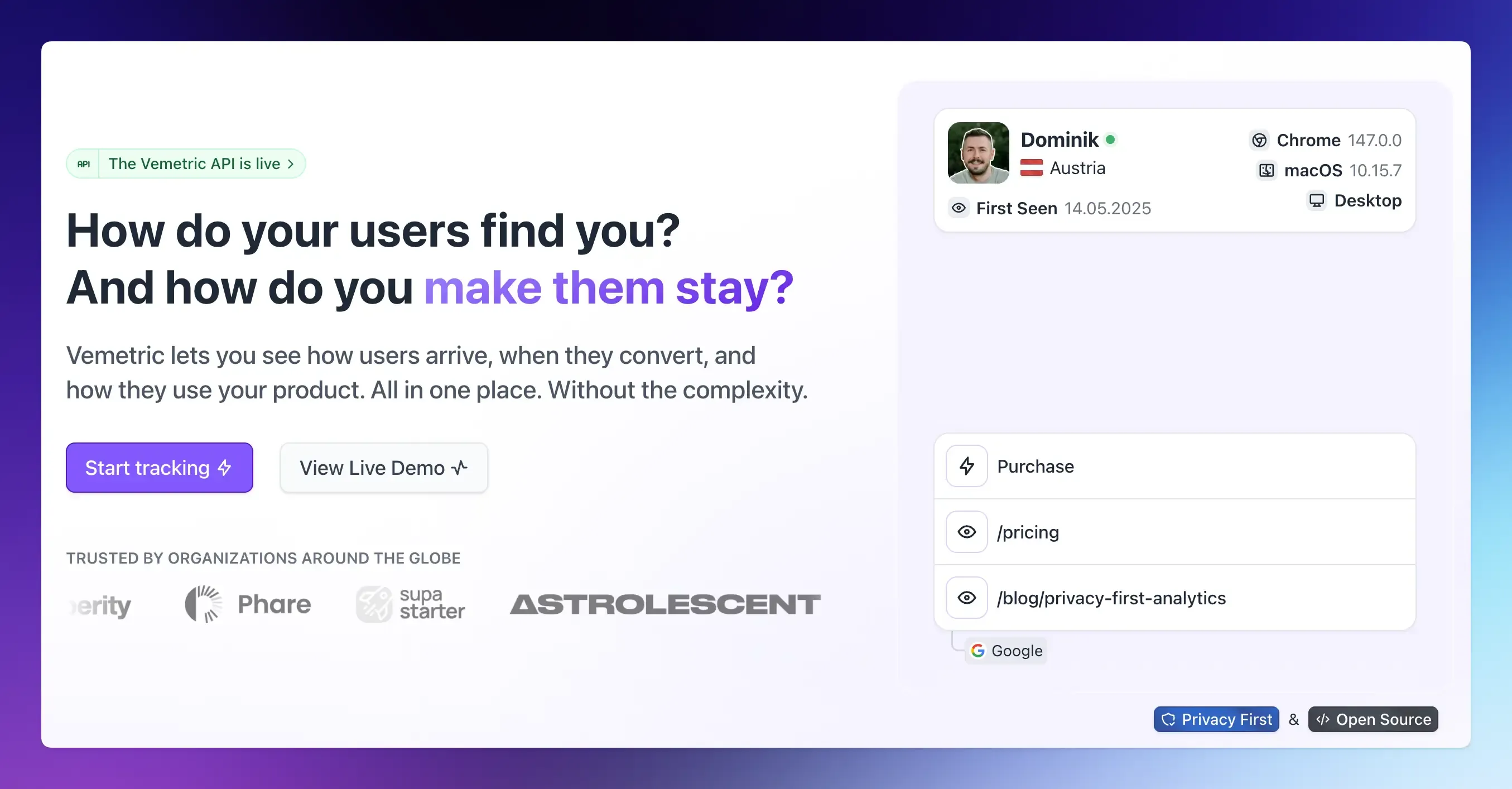
You can define your activation and PQL milestones as custom events, build a funnel that tracks users from signup through to those milestones, and open any individual user’s full journey to see exactly what a real PQL did before they converted.
Funnel results can be filtered by segment, so you can compare how different customer journeys or acquisition channels convert into PQLs.
It’s also GDPR-compliant, cookie-free by default, open source, and free to start on smaller projects, so you can begin tracking PQL signals without bolting another heavyweight tool onto your stack.
Final Words
A product qualified lead isn’t a marketing label; it’s a fact about behavior.
Someone used your product, got real value from it, and then did something that only a genuinely interested buyer would do.
Getting there takes two things: a clear definition of what that value moment looks like, and the event tracking actually to see it happen.
Once both are in place, your sales team stops guessing and starts talking to the people most likely to say yes.
Vemetric gives you the event tracking, funnels, and user journey data you need to define, track, and score PQLs without the complexity.
FAQs
There’s no universal number. It depends entirely on your product’s activation event and how you weight each signal. Instead of chasing a specific score, set your threshold by testing it against real conversion data. If users above your cutoff convert at a meaningfully higher rate than those below it, your threshold is working.
At minimum, an event tracking system that can log specific user actions, plus a way to view funnels and individual user journeys. A product analytics tool like Vemetric covers all three without requiring a dedicated data team to set up.