You can have a great product and still lose users at a rate that does not make sense. The problem is usually not the product itself, but rather a lack of visibility into how people are using it.
- Which features do they use?
- Where do they drop off?
- What happens right before a user churns or converts?
If you cannot answer these questions with data, you waste your time, money, and effort.
This is why event tracking is important. It provides you with an accurate view of how real people engage with your product, including every click and action.
This guide breaks down everything you need to know about event tracking: what it is, why it matters, what to track, and which tools can help you do it right.
What Is Event Tracking?
Event tracking is the process of recording specific events or actions that users take inside your product or website.
An event can be a button click, page view, form submission, file upload, plan upgrade, or any other relevant user interaction.
When a user performs an action in your app, your tracking tool captures the event.
It logs what happened, who did it, the exact timing, and any additional context you need, like the user’s plan, device, or the page they were on.
A well-implemented event-tracking system provides a behavioral timeline for every user in your product. That timeline helps you understand retention, drop-offs, feature adoption, and conversion rates.
Why Event Tracking Matters for SaaS Founders
SaaS growth depends on three things:
- User activation.
- Retention.
- Revenue over time.
Event tracking provides data to improve all three. It gives you a detailed activity log for your product. Instead of guessing how users behave, you have real data.
See Where Users Drop Off
If your signup numbers look fine but the activation rate is low, it means something is wrong between the moment a user creates an account and when they get real value from your product.
Event tracking shows you the exact step where people abandon the process.
Measure Feature Adoption
You shipped a feature that your team had spent six weeks building. But are users actually using it?
Event tracking tells you how many users opened the feature, completed the required action, and returned to it a second time.
Identify Your Best Users
Some users love your product. Event tracking helps you find them by showing who uses it the most and how.
Once you know who they are, you can study their paths through the product and replicate that experience for everyone else.
Spot Churn Before It Happens
Event tracking helps you identify at-risk users and act early. You can spot patterns that predict churn, like users who stop using a key feature or log in less often.
Make Product Decisions With Evidence
Event tracking provides your team with a single, unbiased source of truth. Instead of debating what users want, you can show what users really do. This influences the quality of all future decisions.
How Event Tracking Works
You do not need to write complex code to implement event tracking.
Once you have decided which user actions you want to track, your developer adds a few lines of code to your web page.
This code, or SDK (Software Development Kit), is embedded in your product and captures events as they occur.
Whenever a user triggers the event, the tracking code sends data to your analytics tool (where events are stored).
Your event tracking tool provides a dashboard with charts and tables that let you analyze data, build funnels, create segments, and generate insights.
Most modern event tracking tools use automatic tracking. You select an element on your webpage, and the tool generates the code for you. Some tools even automatically track all clicks.
What Should You Track?
You can track hundreds of different events depending on what is most relevant to your business.
However, you must always start with a focused set of events.
Tracking too much too soon creates confusion and makes analysis difficult.
With that in mind, here are some of the most common event collection categories for a SaaS product launch:
Onboarding and Activation
- Onboarding: First step completed (one event per step) or core action taken.
- Signup completed: User completes account creation.
- Login: Track successful and failed logins.
- Password reset requested: Users who have forgotten their passwords.
- Account deleted: Track when and why people leave.
Feature Usage
- Dashboard viewed: User opens the main dashboard.
- Setting changed: User updates notification preferences.
- File uploaded: User adds a document or image.
User Engagement
- Button clicked: Specific CTAs, such as save or continue buttons.
- Link clicked: Internal navigation or external resources.
- Time spent: How long a user stays on a key page.
- Scroll depth: How far users scroll down a long page.
Conversion Events
- Trial started: User begins free trial.
- Payment method added: User enters credit card details
- Subscription: Subscription created or canceled.
- Plan upgraded or downgraded: User moves to a paid or cheaper plan.
Best Event Tracking Tools for SaaS
There are many great tools available in the market. The right choice depends on your team size, technical resources, and what you need to measure.
Here are some of the best options you can consider:
Vemetric
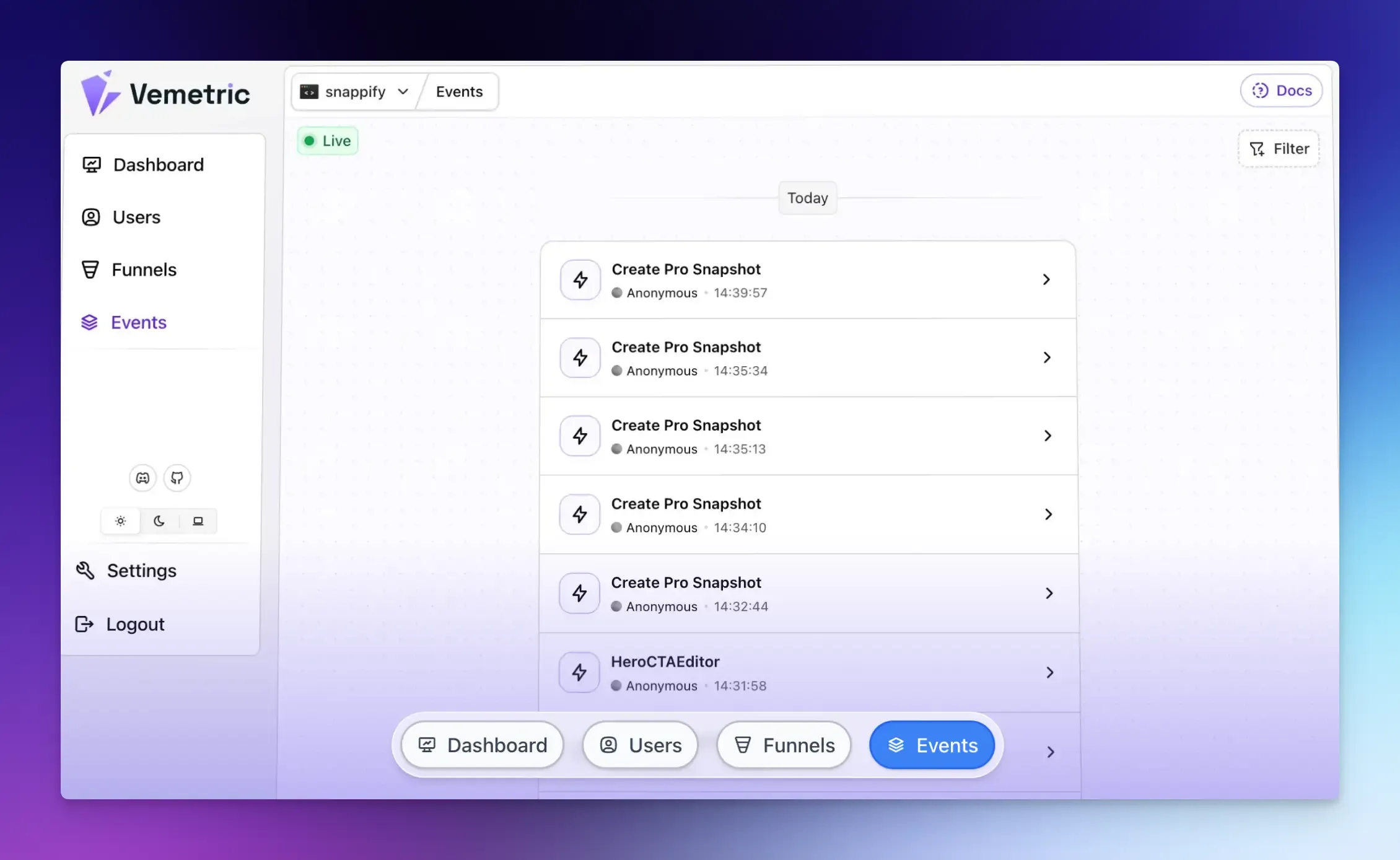
Vemetric is an open-source, privacy-first analytics tool built specifically for SaaS products. It automatically tracks pageviews and outbound link clicks without any extra setup.
It offers straightforward SDK integration with a simple dashboard that includes funnel analysis, feature adoption, website analytics, and user journey tracking, without the complexity or cost of enterprise platforms.
If you want reliable event tracking that you can actually understand and act on without a dedicated analytics team, Vemetric is a strong starting point.
With Vemetric, you can:
- Custom Event Tracking: Define custom events for specific user actions.
- User Journey Tracking: See how individual users behave.
- Funnels and Event Streams: Analyze conversions and user flows.
- Privacy and Compliance: Cookieless tracking by default and fully GDPR-compliant.
Best for: Early to mid-stage SaaS founders setting up event tracking for the first time.
Mixpanel
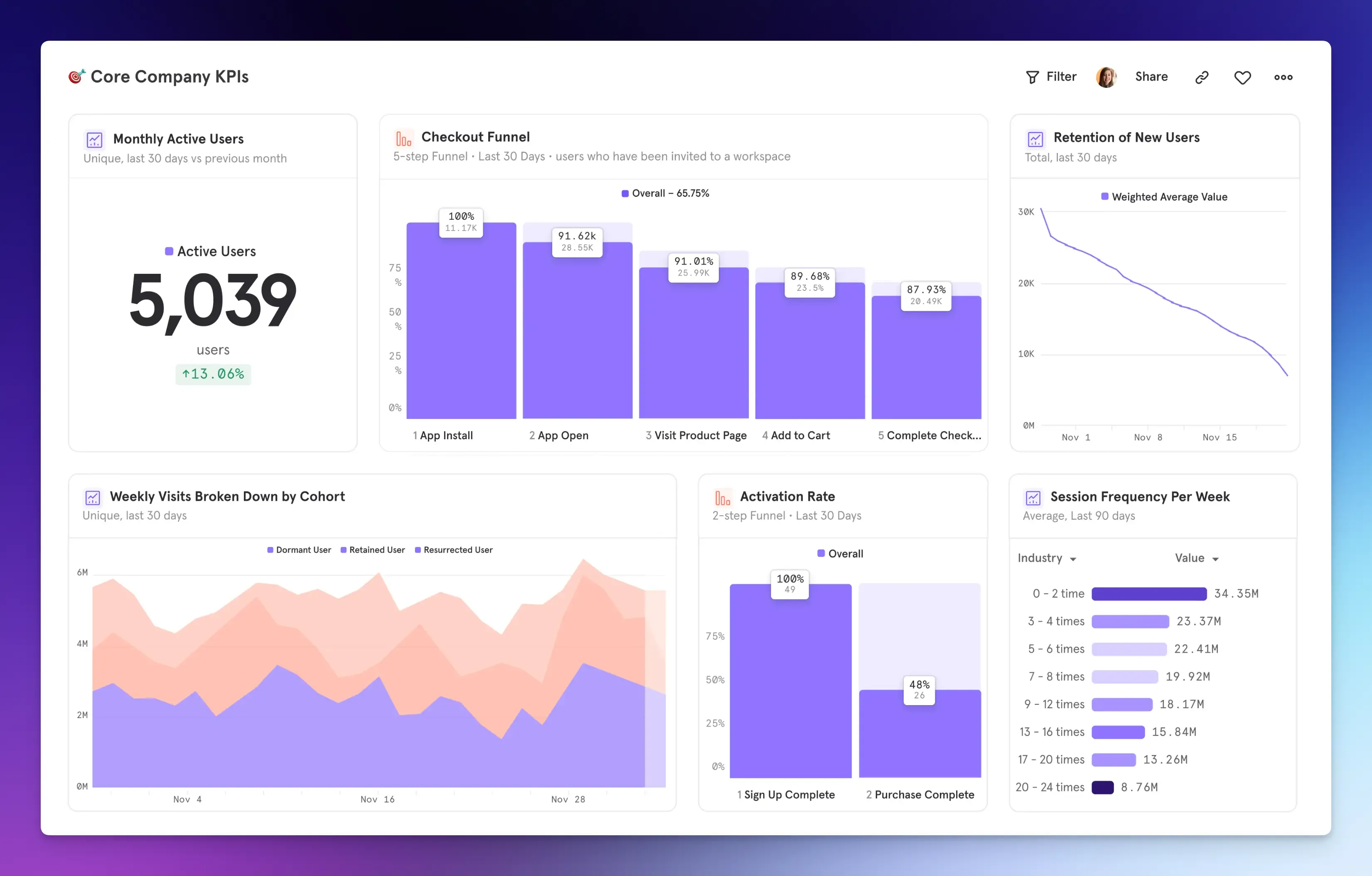
Mixpanel is one of the most established names in product analytics.
It offers strong funnel and retention capabilities, a large library of integrations, and a mature feature set. Real-time data and reports give you instant access to trends and insights.
It also provides automated insights to help you understand user behavior without manual SQL queries.
Powerful segmentation enables you to analyze behavioral data across different user cohorts and attributes to spot patterns.
Best for: Mid-size and larger SaaS teams, particularly those with dedicated product analysts.
Amplitude
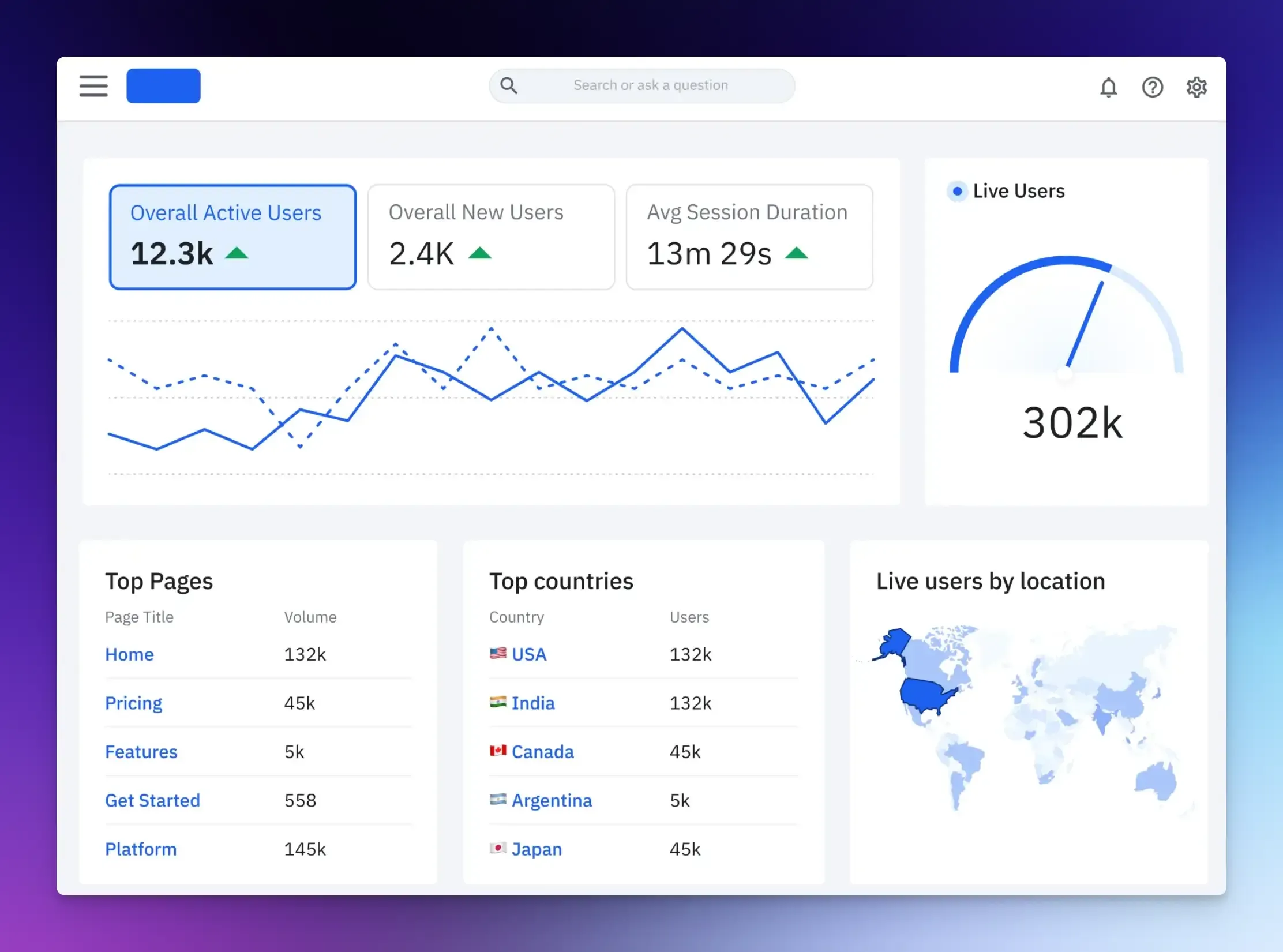
Amplitude is an enterprise-grade product analytics platform with powerful segmentation, behavioral cohort analysis, and a generous free tier.
If you need to run experiments on your product, such as changing the onboarding flow or testing a new pricing page, Amplitude offers built-in feature-experimentation and A/B-testing tools.
Session replay lets you watch real user sessions to understand where they struggle.
Best for: Large enterprises and product teams that need powerful event analytics.
PostHog
PostHog is open source and self-hosted, making it a great option for teams that want full control over their data.
Beyond event tracking, it includes session recordings, feature flags, and A/B testing. It also provides a direct SQL query builder for complete data analysis flexibility.
The self-hosting option requires infrastructure management, though a cloud-hosted version is also available.
Best for: Developer-focused teams and privacy-first companies who want an all-in-one solution.
Heap
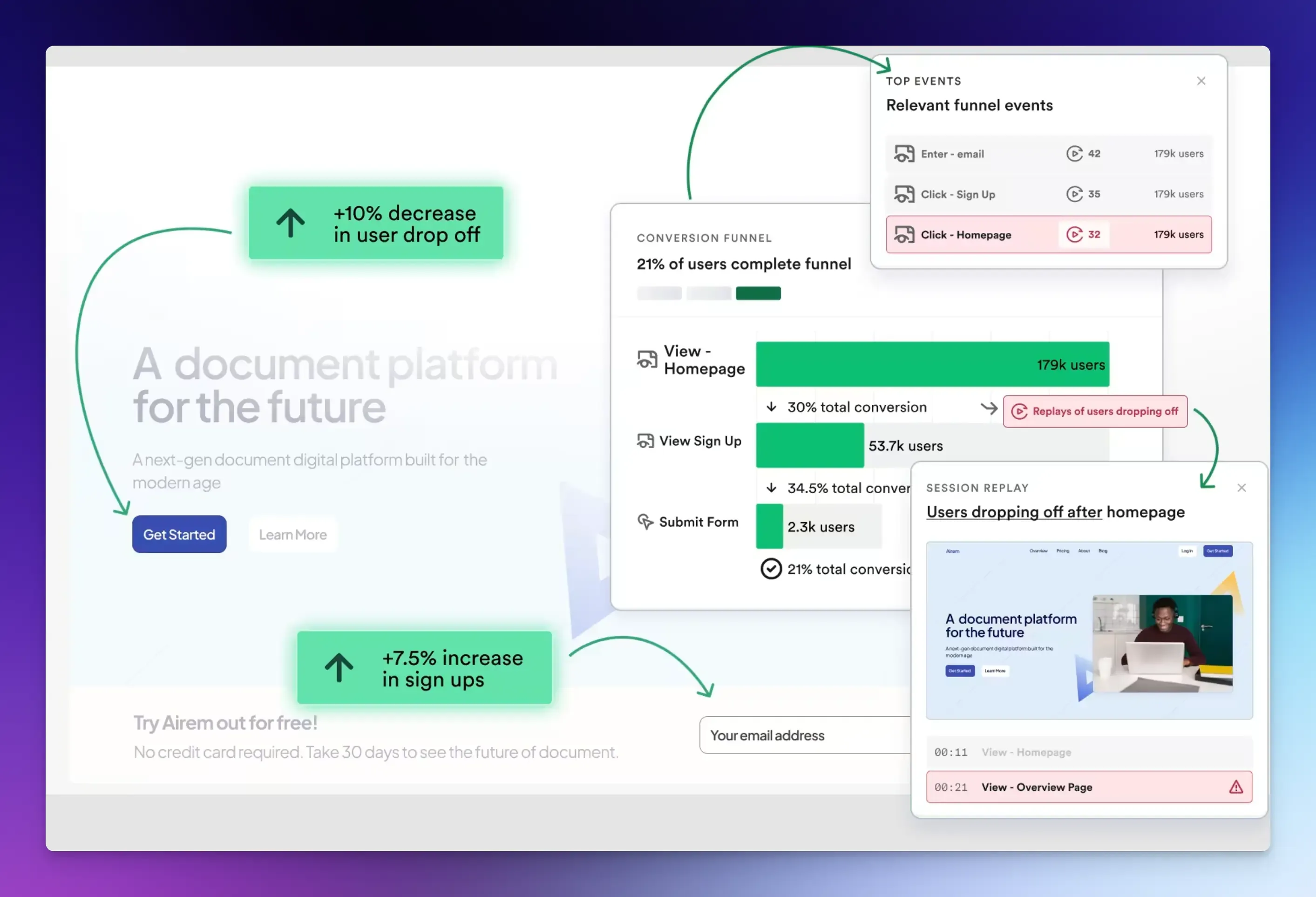
Heap automatically captures every user interaction by default, without manual tagging, reducing the initial tracking setup.
Its retroactive analysis capability lets you define events and analyze historical data without needing to have set up tracking in advance. However, it can generate a large volume of data that requires careful management.
Best for: Teams that want to start analyzing data immediately and hate planning events.
Final Words
Event tracking is not something you set up and forget. It is a continuous process of measuring specific behaviors and applying what you learn to improve your product.
You don’t need a data team or complex SQL queries.
All you need is five to ten events and a simple event tracking tool that matches your stage.
Review your event tracking data every week. Within one month, you will make better product decisions than 90% of SaaS owners who still rely on gut feelings.
FAQs
Page view analytics records when someone visits a page. Event tracking records what they do on that page, such as buttons clicked, features used, and actions completed or abandoned.
The initial implementation requires some technical knowledge, such as adding a tracking SDK to your codebase and defining which events to capture. Once that is done, most event-tracking tools include dashboards that non-technical founders and product managers can use without writing code.
Tracking behavioral events like button clicks and feature usage is generally considered low-risk. Tracking personally identifiable information within event properties, such as names, email addresses, and payment details, requires careful handling and appropriate privacy disclosures. Most reputable event tracking tools support GDPR-compliant data collection.