Google Analytics remains the most popular web analytics tool.
Millions of websites use it to count their visitors and track page views. But just because everyone uses it does not mean it’s good for everyone.
Your visitors care about where their information goes, and many countries now have strict laws about data handling.
Google Analytics sends user data across multiple servers, raising red flags for privacy-conscious businesses.
Not to mention, the setup requires technical skills that most small business owners do not have.
This stops many teams from using Google Analytics at all.
If you need a tool that respects user privacy while still delivering useful insights, this guide is for you.
We tested the best Google Analytics alternatives that deliver readable reports and metrics that matter for your daily business decisions.
What to Look for in a Good Google Analytics Alternative?
Here are some things you should consider before choosing a replacement.
- Ease of use: GA grew over the years by adding more features, not by simplifying the ones it already had. The interface now contains hundreds of reports, menus, and configurations that require technical training to understand. The best tools show you a dashboard that updates in real time and highlights changes without requiring you to dig through menus.
- Data Ownership: You need to know exactly where your data lives. Some alternatives store your information on their servers. Others offer self-hosted options that keep data on servers you control.
- Simple Setup and Maintenance: The best analytics tools install with one line of code. You should not need a developer to maintain it. Look for platforms that offer plugins for common website builders like WordPress or Shopify.
- Data Accuracy: Many analytics tools miss website visitors because they rely on cookies that users block. A good alternative uses multiple methods to count traffic, such as cookieless or server-side tracking that bypasses ad blockers entirely.
- Actionable Reports: Google Analytics shows your traffic sources, but leaves a blank space where your product usage should appear. A good analytics tool should tell you the full story, not just show numbers. If a report does not help you decide on your business, that report wastes your time.
- Fair Pricing: Google Analytics offers a free product, but it often comes with hidden costs. You pay with your data and time. Paid alternatives usually charge based on page views or events. Look for a pricing model that scales with your business size.
Top 8 Alternatives to Google Analytics
Now that you know what to look for in a good GA alternative, let’s go through the best analytics tools you can use for your website.
Vemetric
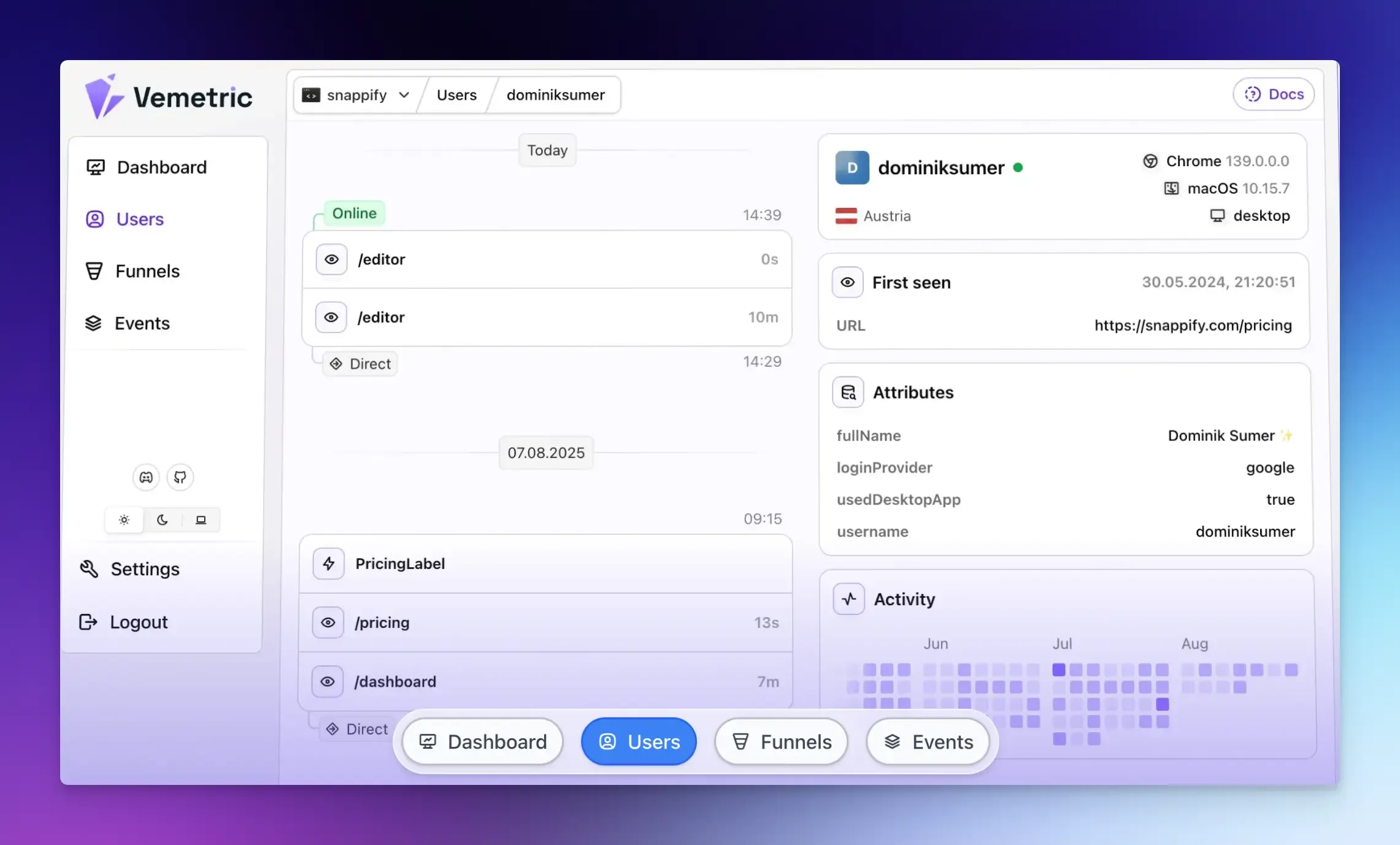
Vemetric is an open-source, privacy-first analytics platform that connects your marketing website data with your actual product usage data through a single, clean interface.
It gives you the standard website metrics:
- Most visited pages
- Top referrers (including organic, social, or ChatGPT)
- Your audience’s location
It also functions as a product analytics tool. This means that once a user signs up for your service or logs in to your app, you can track the full customer journey within your product. You can see the features they use, where they get stuck, and what makes them come back, all while protecting their privacy.
Best For: Developers, SaaS founders, and privacy-focused businesses that want clean dashboards and easy setup without sacrificing data ownership.
Key Features:
- Cookieless tracking and EU-based data hosting to comply with privacy laws.
- Automatically track pageviews and outbound link clicks without any extra setup.
- Custom event tracking to track any meaningful user action you want.
- User journey tracking lets you see the full path a user takes, including their anonymous and logged-in activity.
- Conversion funnels, interactive activity heatmaps, and real-time dashboards.
- Event streams give you a live, chronological feed of every event happening in your app.
- Open source analytics lets you inspect exactly how the tool handles your data.
Pricing: Free plan includes 2,500 events per month. Paid plans start at $5 per month for 10,000 events, with custom enterprise pricing available for higher volumes.
Honest Take: Vemetric gives you both website analytics and product analytics in one tool. For early-stage SaaS companies, this tool delivers exactly what you need without the complexity or cost of larger platforms. The only drawback is that it is relatively new, and some features are still in development (including a self-hosted community edition!).
Matomo
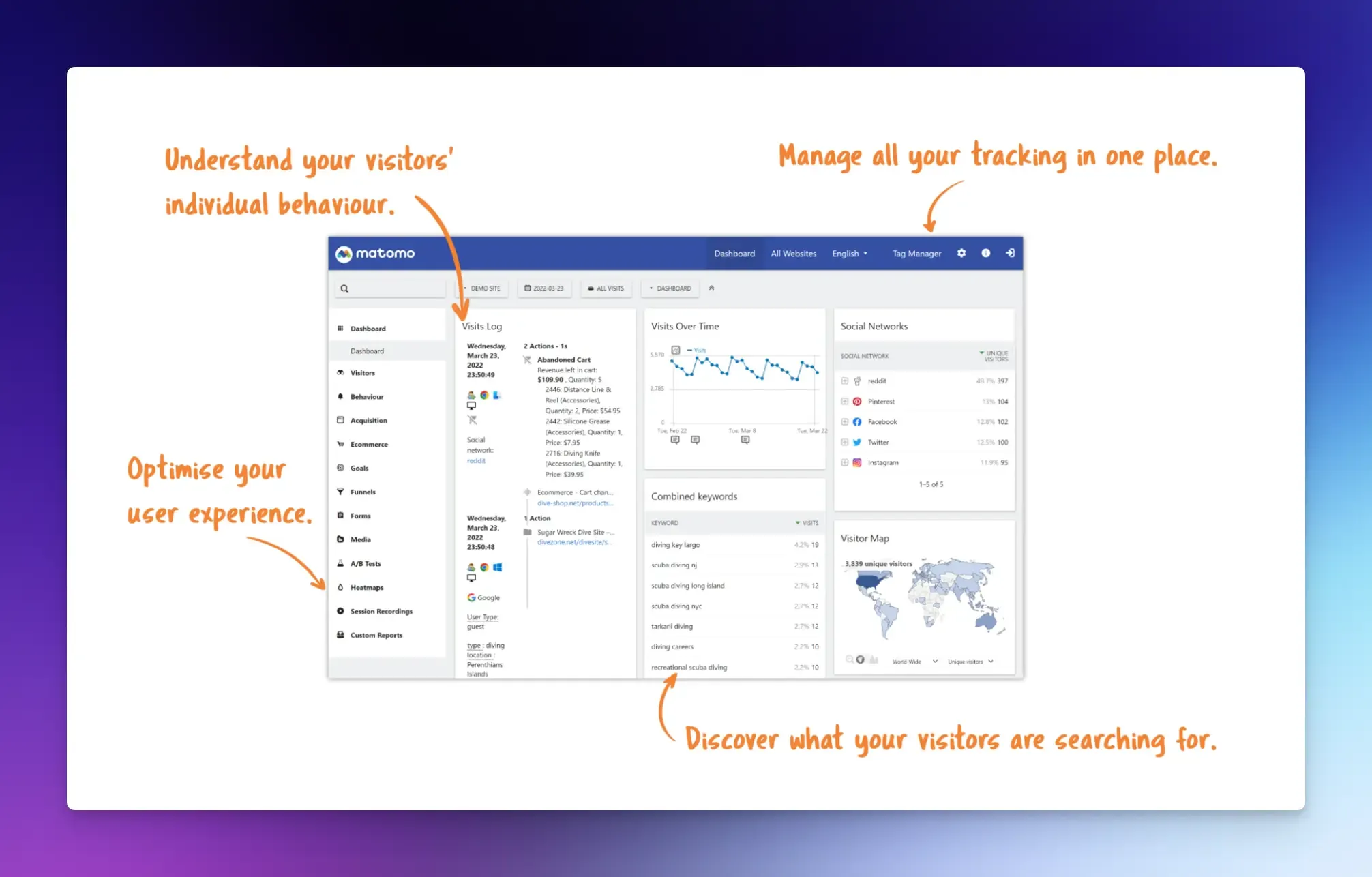
Matomo is an open-source web analytics tool that you can run on your own server. That means you decide where the data lives. No third party can access it.
It tracks standard website metrics, including page views, visitor locations, referral sources, search engine keywords, and user behavior.
Best For: Businesses that require full data control and enterprise-grade analytics without a heavy price tag or privacy compromises.
Key Features:
- Session recordings, user flows, funnel analysis, and visitor engagement metrics.
- No data sampling, so every visit counts toward your numbers.
- Highly customizable reports with custom events and goals.
- It supports cookieless tracking by default.
- Matomo also includes its own tag manager that lets you add and manage tracking codes.
Pricing: Free self-hosted version. Cloud plans start at €22 per month for up to 50,000 visits.
Honest Take: Matomo has earned its reputation by doing one thing exceptionally well: giving you complete control over your data. The platform matured significantly over the years. However, the interface feels dated compared to newer alternatives. You trade modern design for data ownership. Just be prepared for the maintenance overhead if you choose the self-hosted route.
Plausible Analytics
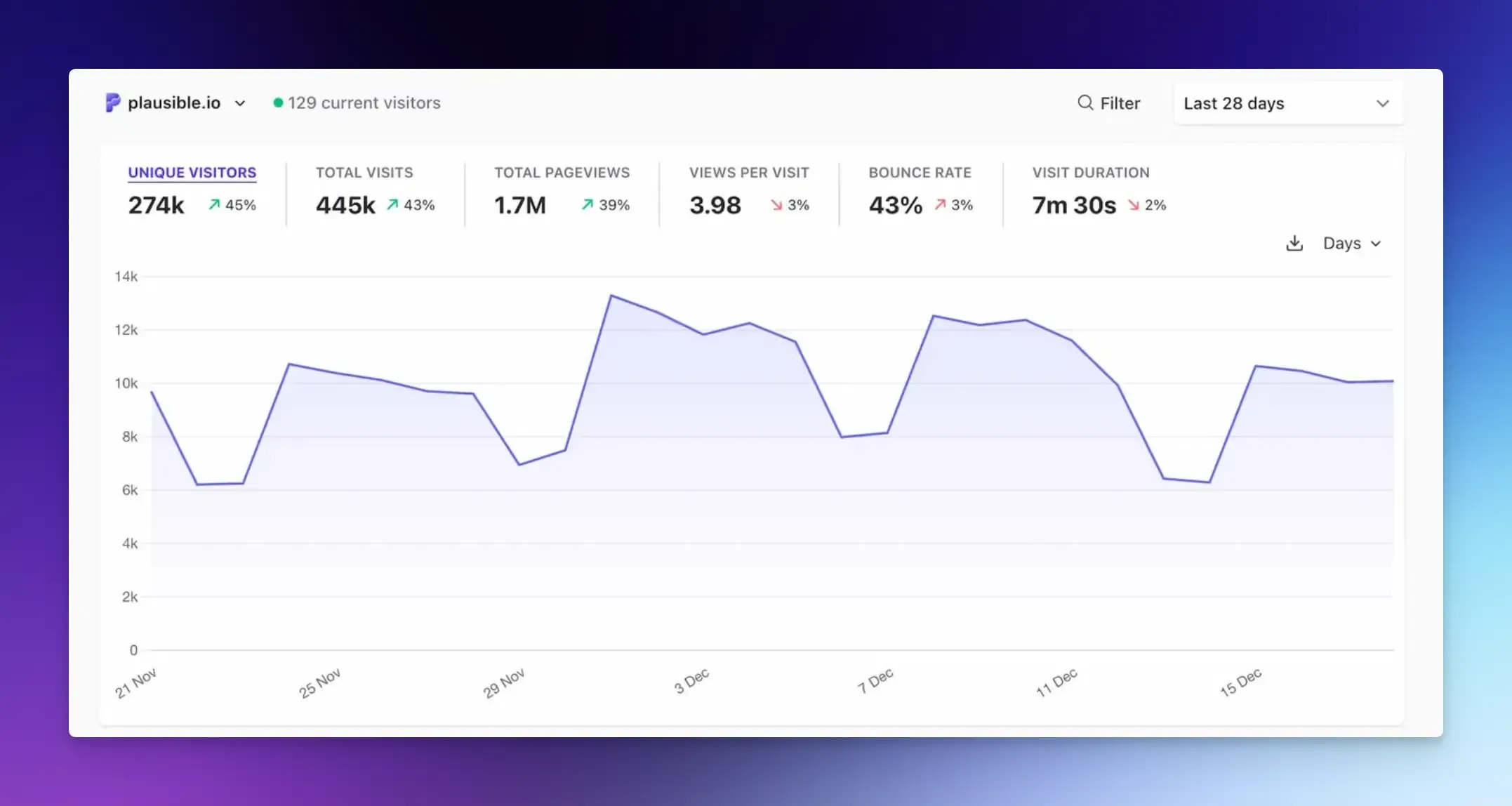
Plausible is a GA alternative that gives you website traffic data without collecting any personal information from your visitors. If you have the technical skills, you can even self-host it on your own server using their community edition.
Best For: Content publishers, bloggers, and small business owners who want analytics data that loads fast and stays simple.
Key Features:
- A cookieless analytics dashboard that displays key metrics, including page views, unique visitors, referral sources, bounce rate, scroll depth, time on page, and custom event tracking.
- A small tracking script that doesn’t slow down your website.
- You can import historical data from Google Analytics.
- No personal data collection and compliance with privacy regulations out of the box.
Pricing: Starts at $9 per month for 10,000 pageviews.
Honest Take: Plausible does exactly what it promises. It gives you a simple view of your website traffic without any of the complexity that makes GA4 unusable. The one-page dashboard shows you everything you need to know about your audience. However, you will not find advanced funnels, user journeys, or multi-touch attribution here.
Fathom Analytics
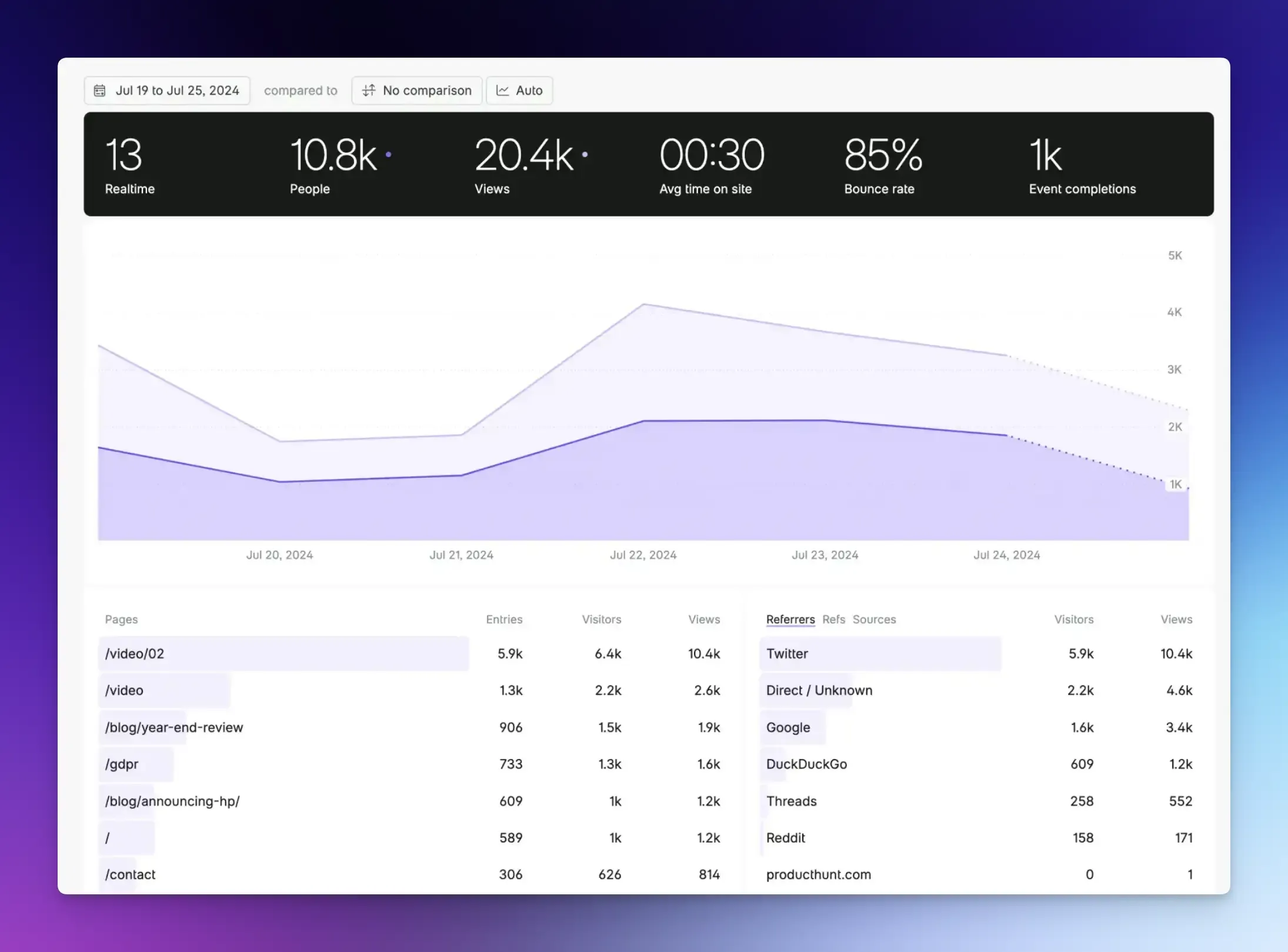
Fathom Analytics is a privacy-focused GA alternative that gives you the essential stats about your website traffic in a clean, privacy-respecting dashboard.
Best For: Marketing teams and website owners who want reliable traffic numbers without cookies or banners.
Key Features:
- Simple dashboard showing pageviews, referral sources, UTM tracking, and custom event support.
- Lightweight tracking script to bypass ad blockers and capture accurate traffic data.
- Automatic bot filtering to keep your data clean.
- Complies automatically with GDPR, CCPA, and PECR.
Pricing: Starts at $15 per month for 100,000 pageviews.
Honest Take: Fathom sits in the same category as Plausible. The platform built its reputation on simplicity and privacy, and it gives you more accurate data than tools that rely on cookies. However, you pay a premium for that compared to competitors.
Mixpanel
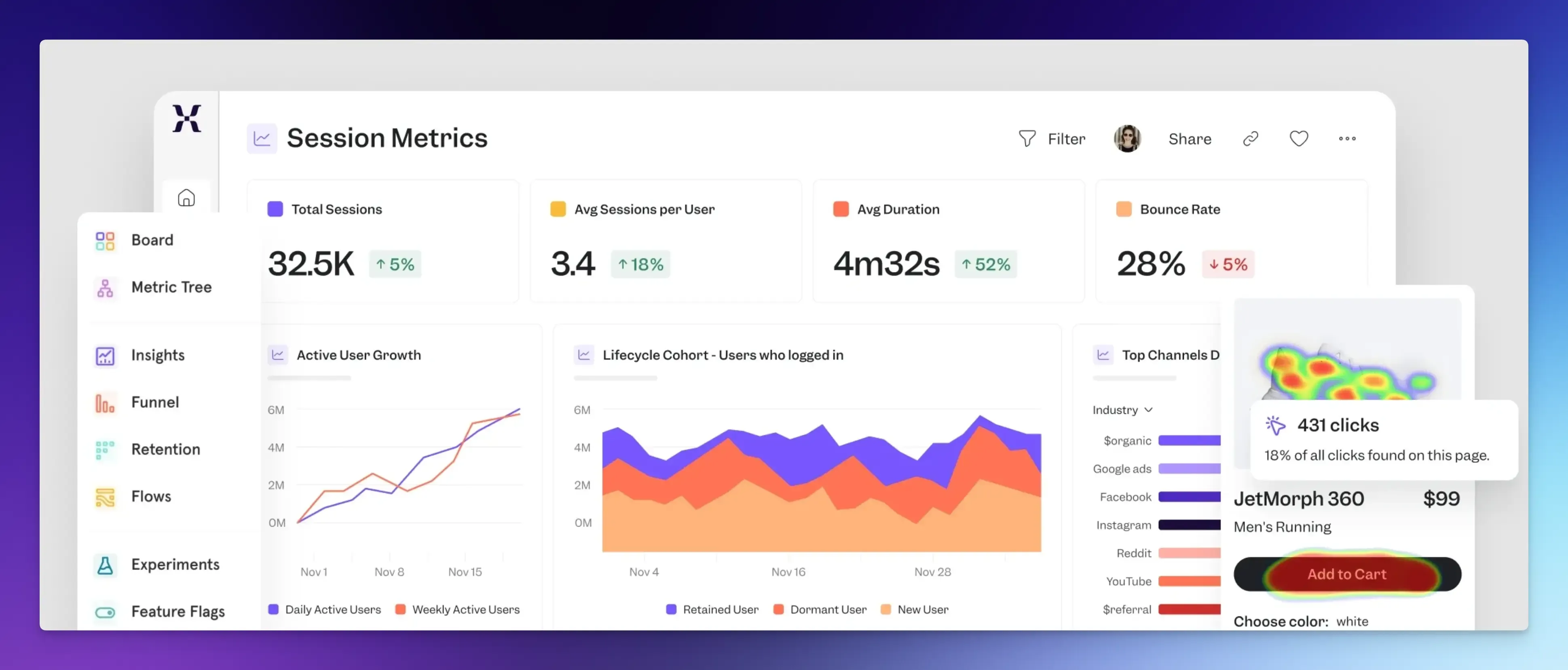
Mixpanel is an event-based analytics tool that helps product teams understand user behavior beyond simple pageviews.
Best For: SaaS companies and product teams that want to understand feature adoption, user retention, and behavioral patterns.
Key Features:
- Event tracking, retention reports, funnels, cohort analysis, and real-time user insights.
- Works across mobile apps, websites, and SaaS products.
- Build funnels and path reports without writing SQL.
- Session replays add qualitative context to your data.
Pricing: The free plan covers up to 1 million events per month. Paid plans start around $0 for 1M monthly events and $0.28 per 1k event after.
Honest Take: Mixpanel is the go-to product analytics tool for good reason. It excels at answering questions about user behavior that Google Analytics cannot address. The learning curve exists, but Mixpanel is worth checking out if you run a product and need to understand how people actually use it.
Amplitude
Like Mixpanel, Amplitude is built for companies that need to go beyond simple page views and dig deep into user behavior. It combines behavioral analytics, experimentation tools, and customer data capabilities all in one place.
Best For: Enterprises and product teams that require detailed behavioral data and have dedicated analytics resources.
Key Features:
- Enterprise-grade product analytics with advanced behavioral tracking, session replays, and cohort analysis.
- Supports precise event tracking through SDKs.
- You can build funnels, retention curves, and custom user paths.
- Powerful segmentation lets you group users by events, device types, and custom traits.
Pricing: Free plan covers up to 10,000 monthly tracked users. Paid plans start at $49 per month and scale based on usage.
Honest Take: Amplitude gives you nearly unlimited ways to analyze user behavior. It provides the analytical depth required to make data-driven decisions at scale. But that power comes with complexity. For startups with limited resources, Amplitude may feel overwhelming.
Heap
Heap automatically captures every user interaction on your site or app, without requiring you to set up events in advance manually.
Best For: SaaS companies and startups that often face new tracking requests after features ship.
Key Features:
- Autocapture clicks, page views, and other behaviors by default.
- You can define events retroactively using data already stored.
- Session replays, funnels, and user journey mapping.
- Retention analysis lets you measure retention over time.
Pricing: Free tier covers up to 10,000 sessions per month. Paid plans use custom pricing based on session volume.
Honest Take: Heap solves one of the most frustrating problems in analytics: the “I wish we had tracked that” moment. By capturing everything upfront, you never miss important behavior because no one asked for tracking earlier. The trade-off is data volume. Capturing everything increases cost and complexity.
Simple Analytics
Simple Analytics offers a user-friendly dashboard that displays only essential metrics. You don’t have to deal with complex reports.
Best For: Freelancers and website owners who want simple traffic reports.
Key Features:
- No cookies and fully GDPR-compliant, with no configuration required.
- You can create public dashboards to share reports with clients.
- Tracks events, pageviews, referral sources, and visitor locations.
Pricing: Plans start at $15 per month for 20,000 pageviews.
Honest Take: Simple Analytics lives up to its name. The dashboard was designed for humans rather than data scientists. The limits become obvious when you require deeper insights. You cannot build complex funnels or track detailed user behavior. But for basic website monitoring and reporting, Simple Analytics provides an experience that Google Analytics cannot match.
Final Words
Each tool listed above offers something unique, whether you need complete data ownership, retroactive analysis, or a simple dashboard with basic stats.
The right choice depends on what you actually need to know about your audience.
If you run a content site and want traffic numbers, pick the simplest option. If you build a product and need to understand user behavior, pick a tool built for product analytics.
And if privacy matters to your visitors, every tool on this list respects them more than Google ever will.
FAQs
Not at all. Search engines do not care which analytics tool you use. They only care about your content and site speed. Privacy-focused tools actually help your SEO because they use much smaller tracking scripts that make your site load faster.
Many alternatives offer import tools that let you bring your historical data with you.