Data should back every business decision you make. Whether you want more website traffic, fewer drop-offs, or happier users inside your product, analytics tells you what’s working and what isn’t.
But here’s where most teams get stuck: web analytics and product analytics are not the same thing.
Web analytics tells you what happens on your website. Product analytics tells you what happens inside your product. Most businesses need both, but you need to know when to use which.
This guide breaks down the differences between web analytics and product analytics, who each is for, and which tools you should use to understand your customers better.
What is Web Analytics?
Web analytics is the simplest way to understand your website traffic and marketing performance. It tracks everything that happens on your website, even before a user signs up or logs in.
It helps you find out:
- Where your visitors come from (Google, social media, email)
- Which pages get the most traffic
- How long do people stay before leaving
- What country are they in
- What’s your bounce rate
These are called aggregate metrics that help you measure the results of your SEO efforts, paid ads, social campaigns, and content strategy.
You look at totals and averages, see trends over time, and learn which marketing channels are most effective in bringing visitors to your website.
Key Metrics in Web Analytics
Web analytics tracks important website engagement metrics, such as:
- Sessions and pageviews: How much traffic your site receives.
- Bounce rate: The percentage of visitors who leave after seeing only one page.
- Traffic sources: Organic search, paid ads, referrals, and direct.
- Conversion rate: How many visitors complete a goal (sign-up, purchase, form submission).
- Average session duration: How long visitors stay on your site.
- Top landing pages: Which pages bring in the most traffic?
- Time on page: How long people spend reading your content.
- Device type: Whether people use mobile, tablet, or desktop.
Who Should Use Web Analytics?
If your goal is to understand how people find you and what they do on your website, web analytics gives you that answer fast.
It works best for:
- Marketing teams that need to track campaign performance.
- Content creators who want to know what’s driving traffic.
- Small business owners who want a quick view of traffic.
- SEO specialists who monitor search traffic and keywords.
- Ecommerce businesses that need to track purchases, cart abandonments, and conversion funnels.
What is Product Analytics?
Product analytics tracks how users interact with your product or app after they sign up or log in.
If web analytics is the front door that informs you how many people walked in, product analytics is everything that happens inside the house.
It answers important questions about user behavior and product performance:
- Which features do users actually use?
- Where do users drop off in your onboarding flow?
- How often do users come back after their first session?
- What actions lead to users staying long-term?
Key Metrics in Product Analytics
Product analytics solutions track different numbers than web analytics. Such as:
- Active users: Daily and monthly active users.
- Feature adoption: Which features people actually use.
- Retention rate: The percentage of users who return after their first visit.
- User flows: The paths users take inside your product.
- Churn rate: How many users stop using your product over time
- Time to value: How long before new users get value from your product?
- Funnel conversion: Where people drop off during signup or purchase.
- Cohort analysis: How different groups of users behave over time.
Who Should Use Product Analytics?
Product analytics is essential for:
- Developers or product teams shipping features and want to know if they’re being used.
- Product managers who decide what features to build next
- UX designers who need to fix confusing parts of the app.
- Growth teams that want to improve conversion and get new users to see value faster.
- SaaS companies that want to reduce churn and improve user retention.
Product analytics for SaaS is non-negotiable if you want to understand full user journeys.
For example, if your business has a logged-in experience, a mobile app, or a subscription model, you need product analytics to know which users are at risk of churning and where new users get stuck.
Why Do You Need Both Web and Product Analytics?
This is where a lot of businesses make a mistake: they pick one and ignore the other.
Here’s why that causes problems:
Website analytics shows you how people find you. It is essential to understand your audience size and growth.
Without web analytics:
- You spend money on ads, but cannot tell whether they actually drive visitors.
- You write content, but have no idea if anyone reads it.
- You watch traffic numbers go up and down but do not know why.
Product analytics shows you what people do after they arrive. It measures user engagement and retention.
Without product analytics:
- You see signups increase, but you do not know why users churn.
- You add new features, but cannot tell if anyone uses them.
- You watch user numbers grow but have no idea if people actually find value.
You need both to see the full picture.
Web analytics fills your funnel from the top by bringing in the right people.
Product analytics keeps users moving through that funnel by showing you what keeps them engaged.
Note: You might be tempted to track every click. Do not do this. Track only what matters for your business gaols. No matter which tool you use, you won’t get useful results if your data is inaccurate, tracked incorrectly, or incomplete.
Best Tools for Web and Product Analytics
Now that you know why you need both web and product analytics, here are some of the best analytics tools you can use to get reliable visitor and behavioral data.
Vemetric
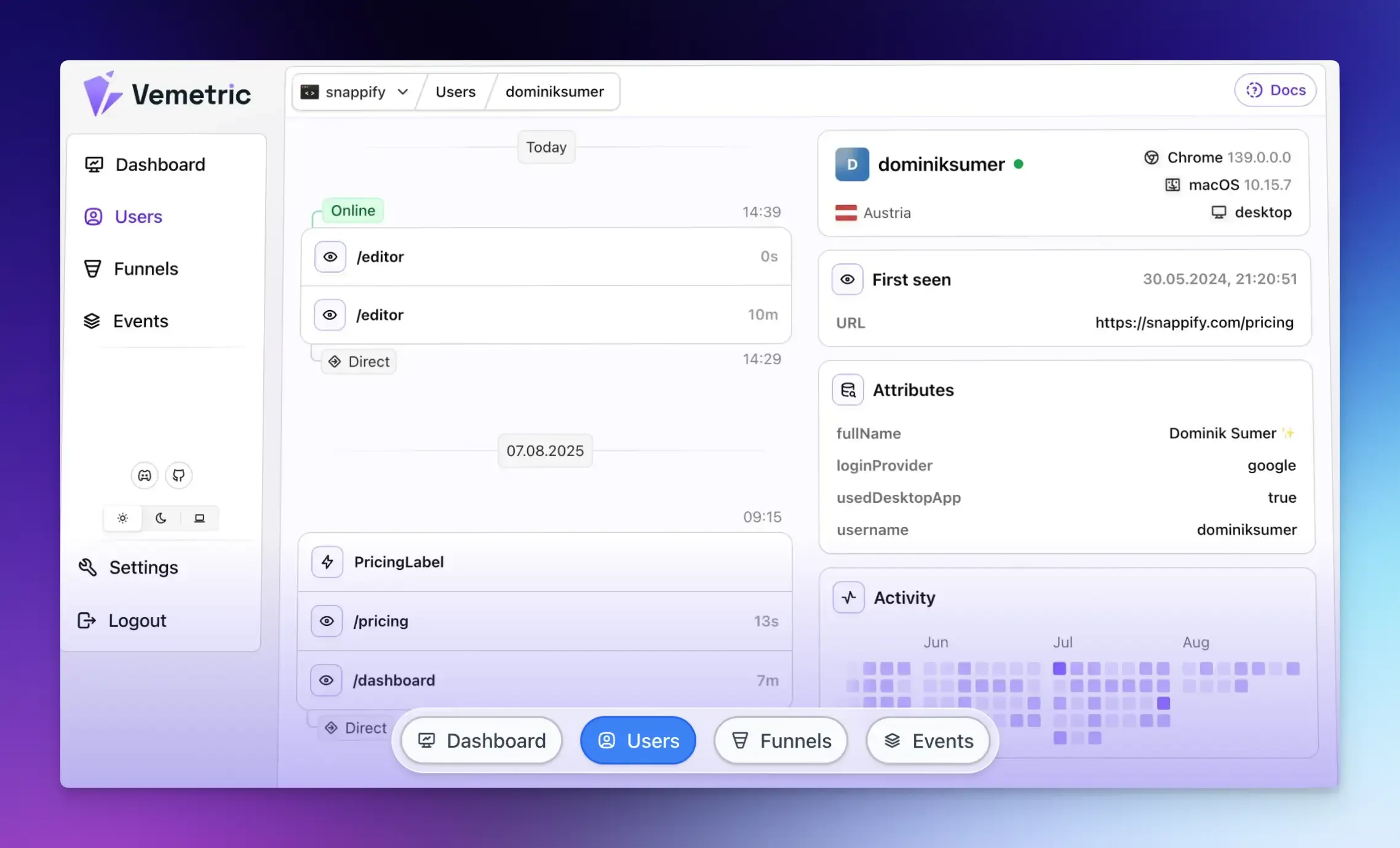
Vemetric is an analytics platform that tracks the full customer journey from a user’s very first visit to feature adoption inside your product.
What makes it different from most tools is that it handles both web and product analytics, allowing you to monitor marketing and in-product behavioral data in a single dashboard rather than using multiple tools.
Vemetric merges anonymous and logged-in user activity to give you a complete view of how users interact across devices.
It covers the essential website metrics such as most visited pages, best referrers, and real-time traffic data.
It also offers conversion funnels, allowing you to filter how different user groups behave. An event stream gives you a detailed timeline of every user action.
One of its standout features is that it works without cookies by default.
This means your data collection works even when browsers block third-party cookies. It simplifies compliance with privacy laws like GDPR. All data is hosted on EU servers, adding another layer of security and control.
For teams that value transparency, Vemetric is also open-source, so you can inspect how your data is handled.
Best for: Developers, SaaS founders, and businesses that want a simple, privacy-first tool that combines both website and product analytics in one place.
Amplitude
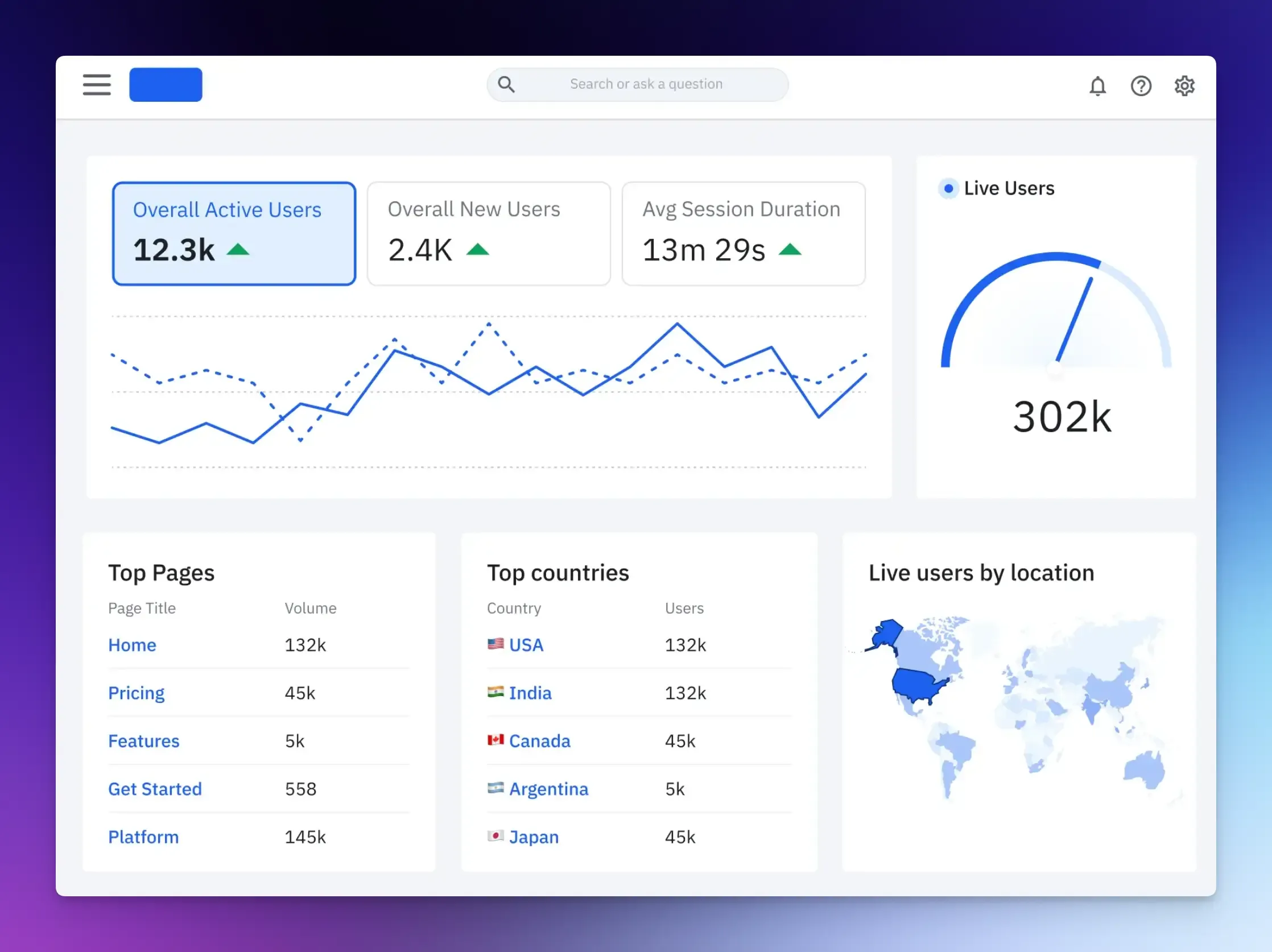
Amplitude is the leader in the product analytics space, known for its powerful behavioral cohort analysis and user journey mapping.
It turns user actions into actionable insights and answers complex questions about user behavior, feature adoption, and long-term retention.
It offers features such as behavioral cohorts to understand different user segments, feature experimentation with built-in A/B testing, and AI visibility to see how your product appears in AI search results.
Best for: Product teams and organizations that need deep behavioral analytics and advanced cohort analysis.
Mixpanel
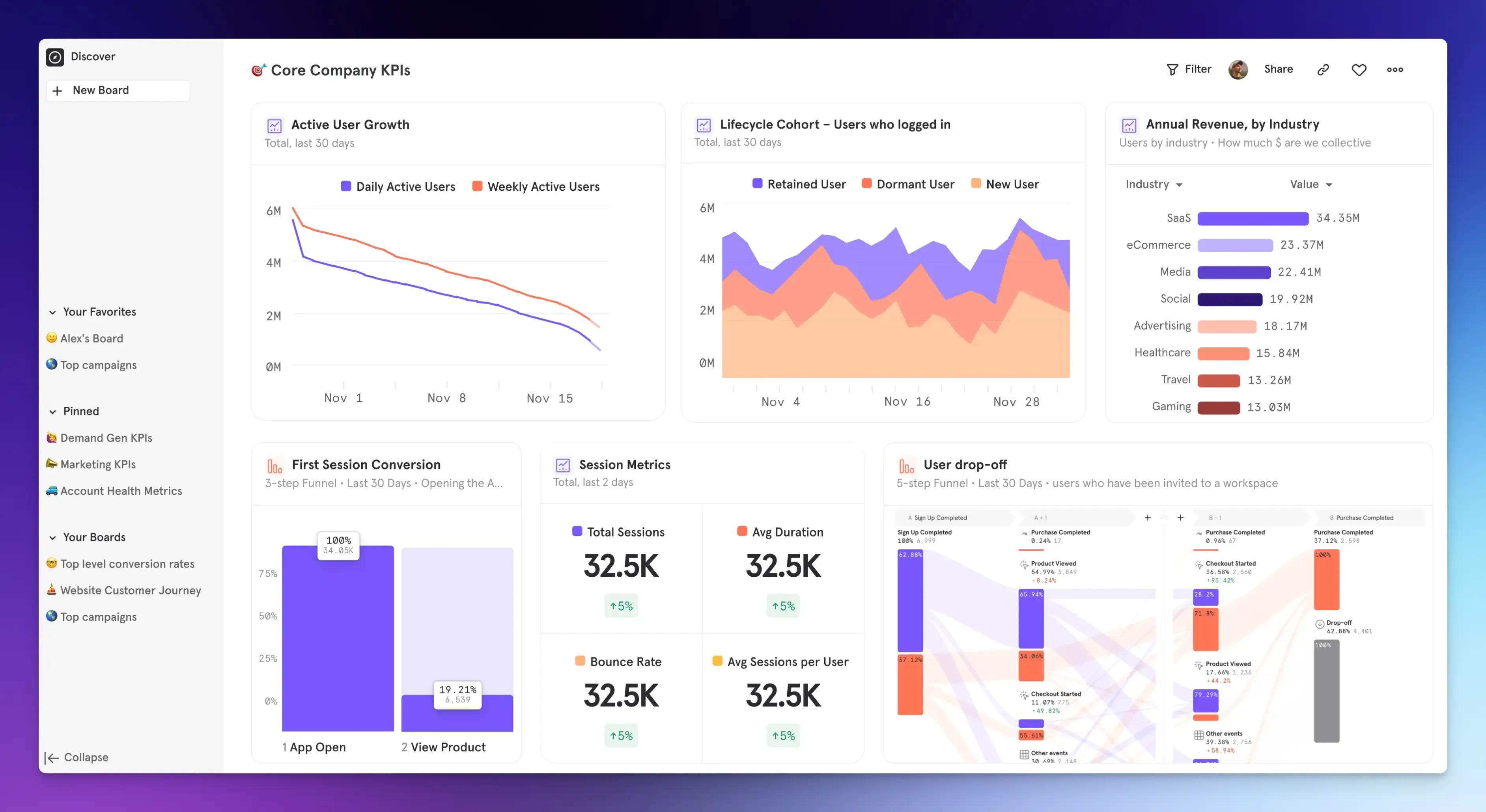
Mixpanel is a product analytics tool that helps you understand how people use your digital product by tracking their individual actions.
The platform is event-based, allowing you to track specific actions such as button clicks, feature usage, and upgrade events.
It supports both client-side tracking via SDKs and server-side events for critical flows such as payments.
Mixpanel also includes session replays to let you watch how users navigate your product.
Best for: Product and growth teams that want real-time, self-serve analytics without needing to write SQL.
Final Words
This clarifies why the web vs product analytics debate isn’t a debate at all.
They serve different purposes and answer different questions.
The gap between them is where most businesses lose users and revenue without knowing why.
The good news? You do not have to choose forever.
If you’re starting, pick one tool that does both well, like Vemetric, and build your analytics foundation from there.
As your team grows and your data needs get more specific, you can add more specialized tools.
FAQs
A session is a single visit to your website or app that starts when someone arrives and ends when they leave or go inactive. An event is a specific action taken during a session, such as clicking a button or submitting a form.
Usually, yes. Most platforms store your data on their own servers. Tools that let you self-host give you direct ownership of your data regardless of what happens to the vendor.