You need a cookie consent banner only if your website stores or reads non-essential information on visitors devices and some of those visitors are in the EU, EEA, or UK.
If your site only uses strictly necessary cookies and privacy-friendly analytics that don’t track people, you can usually run without a banner. You still need a clear privacy notice.
Most websites show a cookie banner out of habit, not because they’ve checked whether they need one.
That habit has a cost:
- Every visitor who clicks “Reject” disappears from your analytics.
- The banner is the first thing people see, before your headline or your product.
- A badly built banner can be a bigger legal risk than no banner at all.
This guide gives you a simple 5-question framework. Answer each question honestly, and you’ll land on one of three results: no banner, no banner with a simple opt-out, or a banner you genuinely need.
Cookie Consent Requirements Explained: What the Law Actually Regulates
Before the framework, you need to clear up three common misunderstandings. They explain why so many sites get this wrong.
1. GDPR is not the cookie law
The rule that triggers cookie banners comes from Article 5(3) of the EU ePrivacy Directive. In the UK, the same rule sits in regulation 6 of PECR (the Privacy and Electronic Communications Regulations).
GDPR plays a supporting role:
- It defines what valid consent looks like (freely given, specific, informed and clear).
- It governs what you do with personal data after you collect it.
So when people search for a “GDPR essential cookies exemption”, the exemption they mean actually lives in the ePrivacy rules. GDPR still applies to any personal data your cookies or scripts collect.
2. It’s not only about cookies
The rule covers storing information on a device, or reading information from it. Cookies are just the most famous example.
The European Data Protection Board’s Guidelines 2/2023 on the technical scope of Article 5(3) (final version adopted October 2024) make clear that the rule can also apply to:
- Tracking pixels and tracking links
- Local storage and similar browser storage
- Device fingerprinting
- Unique identifiers used to recognise a device
This is why “we don’t use cookies” is not automatically the end of the conversation.
3. Consent is the default, with narrow exceptions
Under the EU rules, you need consent before storing or reading anything on a device, unless it is:
- Needed to transmit a communication (for example, load balancing), or
- Strictly necessary to provide a service the user explicitly asked for (for example, a login session or a shopping cart).
The UK went further in 2026. Since 5 February 2026, PECR has five exceptions, including a new “statistical purposes” exception for privacy-friendly analytics. More on that below.
Where you’re based doesn’t matter. Where your visitors are does.
A US or Australian company with visitors in Germany or France must follow EU cookie rules for those visitors.
Regulators do enforce this.
The French regulator CNIL issued 83 sanctions totalling €486.8 million in 2025, with cookies among the main subjects.
That total includes €325 million against Google and €150 million against SHEIN’s Irish subsidiary.
The 5-Question Decision Framework
Work through these questions in order. Most sites get their answer by question 3 or 4.
Question 1: Do people from the EU, EEA, or UK visit your website?
Open your analytics and check the countries report. If you sell software online, the answer is almost always yes.
- No, and you don’t target those regions: EU and UK cookie rules generally don’t apply, so an opt-in banner isn’t required by them. Local laws still matter. US state privacy laws, for example, mostly work on notice and opt-out rather than opt-in.
- Yes, or you’re not sure: Go to question 2.
Question 2: Does your site store or read anything on visitors’ devices?
This is the question most people skip. Don’t guess. Check.
A 5-minute audit:
- Open your site in a private browser window. Don’t click anything.
- Open developer tools (F12) and go to the Application tab.
- Look at Cookies, Local storage, and Session storage. Write down everything you see.
- Switch to the Network tab and reload. Note requests going to other companies’ domains.
- Repeat on a page with an embedded video, a form, and a chat widget.
Usual suspects that store or read data:
- Analytics scripts
- Ad and social pixels (Meta, LinkedIn, TikTok, Google Ads)
- Tag managers firing third-party tags
- Embedded YouTube videos, maps and social posts
- Live chat and support widgets
- Heatmap, session replay and A/B testing tools
Result:
- Nothing found: You don’t need a cookie banner. Mention your setup in your privacy policy, and you’re done.
- Something found: Go to question 3 with your list.
Question 3: Is every item on your list strictly necessary?
“Strictly necessary” means the feature the visitor asked for cannot work without it. Judge it from the visitor’s point of view, not your business needs.
The UK regulator, the ICO, puts it bluntly: ad cookies might fund your site, but they are never strictly necessary for the user.
Usually strictly necessary (no consent needed):
- Login and session cookies
- Shopping cart contents
- Security and fraud prevention
- Load balancing
- The cookie that remembers a visitor’s consent choice
Usually NOT strictly necessary (consent needed in the EU by default):
- Standard analytics
- Advertising and retargeting
- Heatmaps and session recordings
- Social media plugins that track people
Result:
- Everything is strictly necessary: No banner needed. List these cookies in your privacy or cookie policy.
- Some items aren’t: Go to question 4.
Question 4: Is your analytics privacy-friendly by design?
For many sites, analytics is the only thing standing between them and a banner-free website. So it deserves a closer look.
Your analytics counts as privacy-friendly if it meets all of these:
- It uses no cookies, or only first-party ones
- It produces aggregate statistics, not profiles of individuals
- The data is used only to improve your own website or product
- The provider doesn’t reuse the data for its own purposes or share it
- It isn’t combined with data from other sources
- It doesn’t track people across other websites
- It isn’t connected to advertising
What that gets you, by region:
- UK: The new statistical purposes exception lets you run this kind of analytics without consent. In return, you must explain it clearly and give people a simple, free way to object.
- France: CNIL allows consent-free audience measurement under strict conditions, including truncating IP addresses and a 13-month limit on tracker lifetime. CNIL also notes that most large analytics offerings don’t qualify.
- Rest of the EU: There’s no single EU-wide analytics exemption yet, and national regulators differ. The safest route is analytics that stores nothing on the device at all, plus clear disclosure in your privacy policy.
Result:
- Yes, and analytics was your only non-essential item: You can most likely skip the banner. Add a clear privacy notice and an opt-out link.
- No, or you have other trackers: Go to question 5.
Question 5: Do you run any marketing or advertising trackers?
This is the deciding question.
Examples:
- Meta Pixel, Google Ads conversion tags, LinkedIn Insight Tag, TikTok Pixel
- Retargeting and audience-building tags
- Affiliate tracking
- Session recordings tied to individual visitors
- Embedded content that sets cookies as soon as the page loads
Result:
- Yes: You need a cookie consent banner for EU, EEA and UK visitors. The ICO’s guidance states that no exception covers advertising, including ad measurement and frequency capping.
- No: Go back to question 4. Swapping your analytics tool is often all that’s left between you and a banner-free site.
Your result at a glance
- No banner: No EU or UK visitors, nothing stored on devices, or only strictly necessary cookies.
- No banner, but a notice and an opt-out: Strictly necessary cookies plus privacy-friendly analytics.
- Banner required: Any advertising or marketing trackers, or standard analytics that tracks individuals.
If you do need a banner, build it properly. Block non-essential scripts until people agree, make “Reject” as easy as “Accept”, and let people change their mind later.
The Essential Cookies Exemption: The Grey Areas
The clear cases are easy. Login cookie: exempt. Retargeting pixel: not exempt.
The trouble starts with everyday tools that sit in between. Here’s how to handle the most common ones.
Embedded YouTube or Vimeo videos
- Most embeds set storage the moment the page loads, before anyone presses play.
- Fix: use the platform’s privacy mode, or a “click to load” placeholder that only loads the player when the visitor asks for it.
Live chat widgets
- The chat window a visitor opens can be strictly necessary.
- The same widget tracking every visitor’s browsing before they open it is not. Check what loads on page load.
Fonts from external services
- Loading fonts from a third-party server can send your visitors’ IP addresses to that provider.
- Fix: self-host your fonts. It’s faster and removes the question entirely.
A/B testing tools
- Not strictly necessary in the EU by default.
- France and the UK allow some A/B testing without consent, but only under their analytics conditions (aggregate data, no profiling, an opt-out).
Security and bot protection
- Usually exempt, as long as it is used only for security.
- If the same tool also feeds marketing or profiling, the exemption falls away.
The rule of thumb: an exemption covers a purpose, not a tool. If a cookie or script does two jobs and only one of them is essential, treat it as non-essential.
If your site runs on a SaaS stack with many third-party tools, our roundup of the best GDPR tools for SaaS can help you map what each one does.
Cookieless Analytics: When No Banner Is Needed
For most SaaS and content sites, analytics is the main reason a banner exists. Remove that reason, and the banner often goes with it.
How cookieless analytics works
Traditional analytics drops a cookie with a long-lived ID so it can recognise the same browser for months.
Cookieless analytics skips that step.
Take Vemetric as an example.
By default, it doesn’t set cookies. It recognises a visitor during the day using a hash of their IP address, browser user agent, and a salt that rotates daily.
The next day, that same person counts as a new visitor. Nothing is stored in their browser, and no ID follows them over time.
What you keep and what you give up
You keep:
- Visitors, page views and top pages
- Referrers, including traffic from AI tools like ChatGPT
- Countries, devices and browsers
- Conversions, events and funnels
You give up (without consent):
- Recognising the same anonymous visitor across several days
- Long-term attribution for visitors who never sign up
For logged-in product usage, this matters less than it sounds. Once someone signs up, you know who they are inside your app.
The honest caveat
Cookieless is not a magic word. Keep these in mind:
- GDPR still applies: IP addresses are personal data. Mention your analytics in your privacy policy, have a legal basis (usually legitimate interest), and sign a data processing agreement with your provider. EU hosting makes this simpler.
- The tool has to stay clean: If your “cookieless” setup is later wired into ad platforms, the privacy benefit disappears.
- EU regulators read the rules broadly: The EDPB’s guidance covers more than cookies, so a tool that stores nothing on the device is in a far stronger position than one that swaps cookies for fingerprinting or local storage.
- Offer an opt-out anyway: It’s required for the UK statistical exception and CNIL’s exemption, and it’s good practice everywhere else.
How Vemetric Helps You Skip the Banner Without Flying Blind
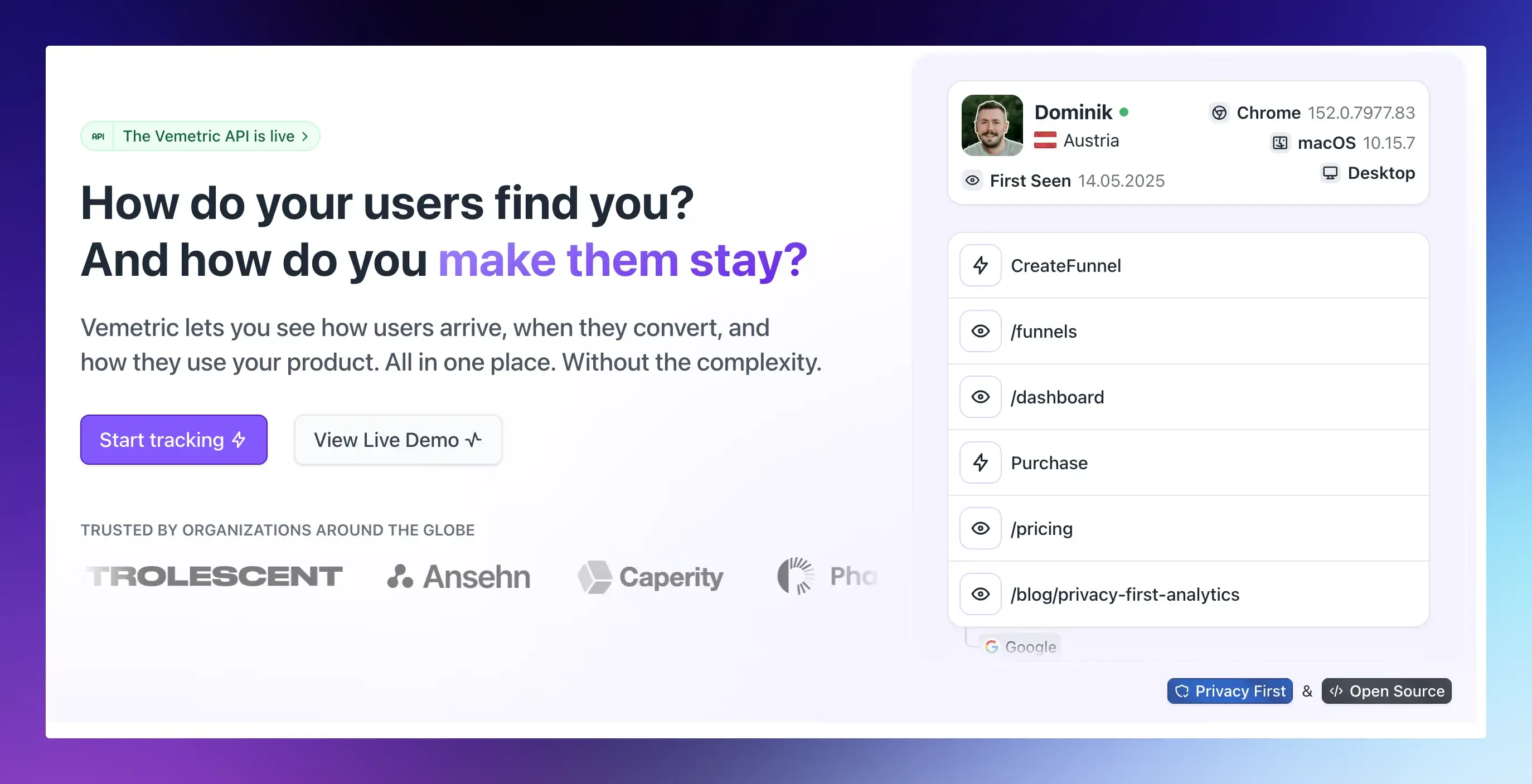
Dropping your cookie banner shouldn’t mean dropping your data.
Vemetric is web and product analytics built so that analytics stops being the reason you need a banner.
- No cookies by default: Visitors are counted with a daily rotating hash, so nothing is stored in their browser.
- Hosted in the EU: Vemetric is based in the EU and its servers are in the EU.
- Open source: The code is public on GitHub, so you can check exactly what it collects.
- Web and product analytics in one tool: See where visitors come from, then follow what they do inside your product with funnels, events and user journeys.
- Cookies only when you choose. If you already collect consent, you can turn on a cookie for those visitors with one setting to recognise returning visitors for up to 13 months.
- Simple pricing: A free plan with 2,500 events a month, and paid plans from $5 a month. See pricing.
Setup takes a few minutes with a script tag or an SDK for React, Next.js, Astro, and more.
Follow the installation guide, run the 5-question check above, and you may be able to delete your banner the same day.
Want more on running analytics the privacy-friendly way? Read how to track SaaS product metrics without violating GDPR or compare the best Google Analytics alternatives.
FAQs
In the EU, almost always yes. CNIL states that most large analytics offerings don’t qualify for its consent exemption. In the UK, the statistical exception only works if your provider uses the data solely to improve your site.
If you have EU or UK visitors, EU and UK rules apply to them, wherever your company is based. For US visitors alone, state privacy laws mostly require notice and an opt-out rather than an opt-in banner.