PostHog and Sentry are two of the most widely used platforms for tracking sessions and handling errors. But they solve very different problems.
One helps you build a better product. The other helps you stop your code from breaking.
If you’ve been trying to figure out which one your team actually needs, this guide will clear that up for good.
Let’s break down PostHog vs Sentry, including their key features and pricing, to help you decide which one fits your business.
What is PostHog?
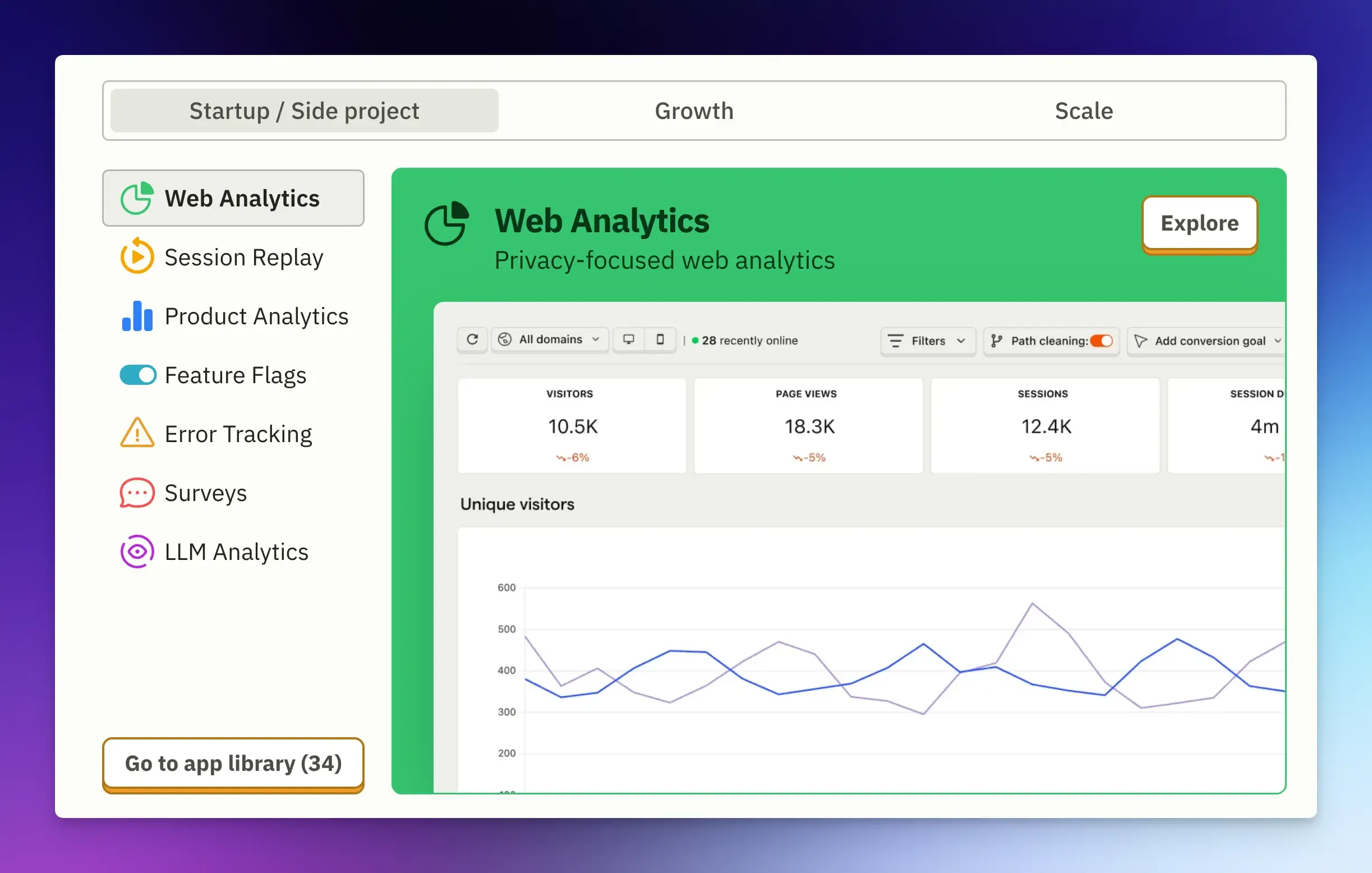
PostHog is a product analytics platform that helps you understand how users behave inside your product. You can track events, build funnels, run A/B tests, watch session replays, and manage feature flags, all from one platform.
It started as an open-source alternative to tools like Mixpanel or Amplitude.
But over the years, it has grown into a full suite used mostly by product managers, developers, and growth teams to understand where users drop off and which features they use.
Key Features
- Product Analytics: PostHog automatically captures every click and pageview so you don’t have to instrument everything manually. You can build funnels to see where people drop off, check retention charts to see if they come back, and use trends to track feature adoption.
- Session Replays: Record real user sessions to see where users hesitate, click the wrong button, or get confused.
- Feature Flags and A/B Testing: Roll out features gradually, test different versions with specific user segments, and measure their impact on conversion, retention, or other metrics that matter to your business.
- Surveys let you collect in-product feedback directly from users through pop-ups, banners, and targeted questions based on specific user behaviors.
- Error Tracking covers the basics, such as capturing exceptions and stack traces. It links the error with the user’s session and identity, allowing you to see exactly what the user was doing right before the app crashed. While useful, it is not the primary reason most teams choose PostHog.
- Data warehouse and SQL access: PostHog gives you access to your data with custom SQL, which is valuable for teams that want to go deeper than pre-built dashboards.
Pros
- All-in-one product analytics stack.
- Usage-based pricing with a generous free tier.
- Open-source with a self-hosting option for full data ownership.
- Great for GDPR compliance with EU cloud hosting options.
- Fast setup and SDKs available for web, mobile, and server-side.
Cons
- It can feel overwhelming at first, as there are many features.
- Self-hosting requires infrastructure maintenance.
- Some advanced features, like experiments and error tracking, are limited compared to dedicated tools.
- Costs can escalate quickly at scale if you’re not monitoring event volume.
PostHog Pricing
PostHog operates on a usage-based pricing model.
- Free Tier: You get 1 million events, 5k session replays, and 100k errors per month, completely free. For most early-stage startups, this is more than enough.
- Paid Plans: Once you exceed the free limits, you pay for what you use. Event pricing scales down as you use more events, starting at $0.00005 per event.
- Session Replay Costs: Start at $0.005 per recording after the free 5k.
Important note: PostHog is open source, so you can self-host it for free if you have the resources and technical capacity to manage it.
What is Sentry?
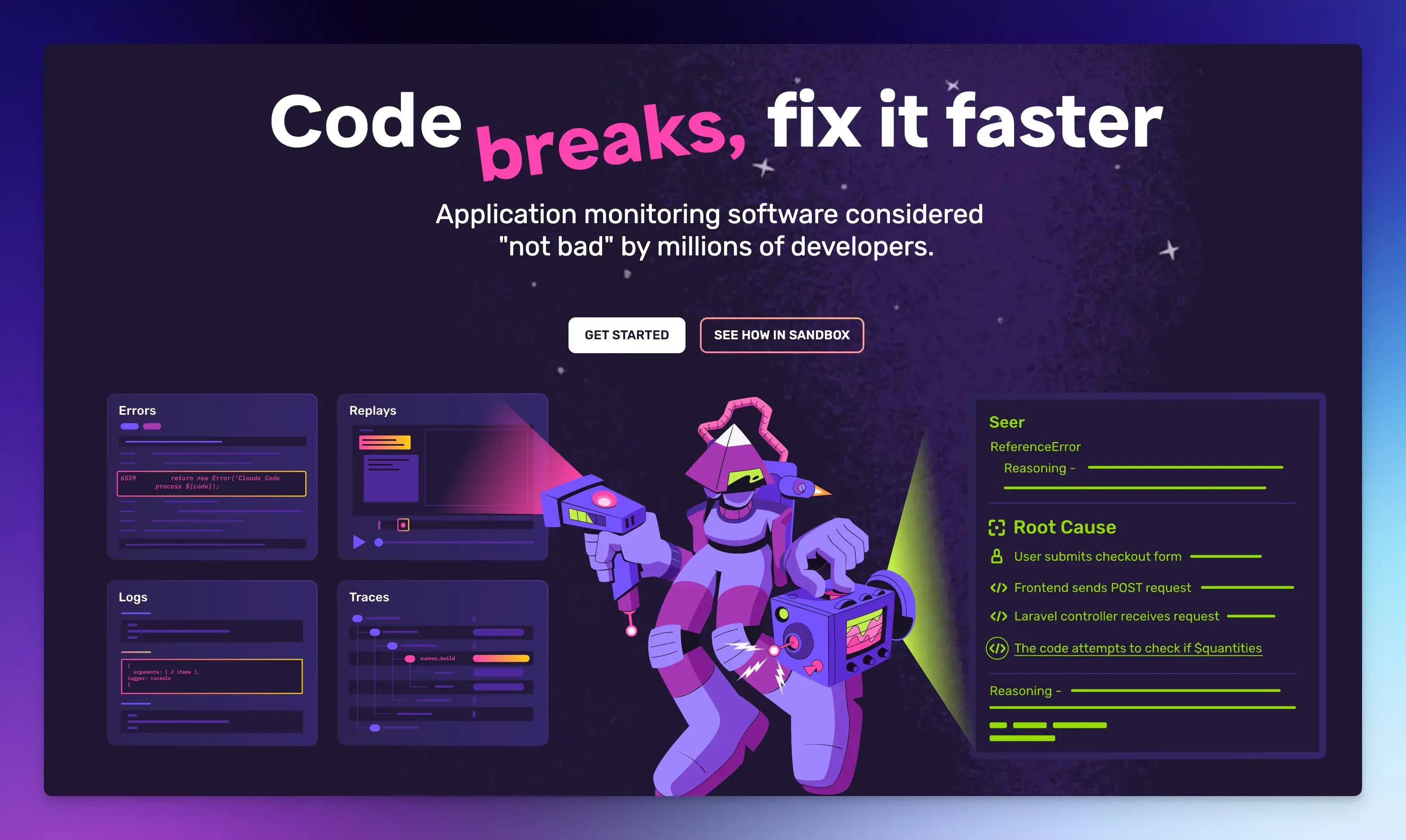
Sentry is an error-tracking and application-monitoring platform that tells you when something breaks in your code, where it broke, and provides enough context to fix it.
It captures your application’s exceptions, crashes, or poor performance in real time, including the full stack trace, which line of code caused the issue, what the user was doing, and the environment.
If PostHog focuses on the user, Sentry focuses on the code. It is a reactive tool designed to help developers find and fix errors.
Key Features
- Error Monitoring: Every error in your app is automatically captured, including stack traces, user IDs, and device info, to help you diagnose the root cause. It groups duplicate errors into issues, so your team can resolve them faster.
- Performance Monitoring: Sentry also monitors load times, API response times, and slow database queries. Distributed tracing allows you to track a single request from your frontend to your backend API and database.
- Session Replay: When an error occurs, you can watch what the user was doing right before the crash. The replay is directly linked to the error, giving you both the technical cause and the user context in one place for context-rich debugging.
- Logs: Sentry lets you send application logs directly to the platform, where they are automatically linked to related errors and traces.
- Sentry AI Agent: Seer can analyze issues, suggest root causes, and open pull requests with proposed fixes.
Pros
- Best-in-class error grouping, stack traces, and root cause analysis.
- Integrates with GitHub, GitLab, Jira, Slack, and CI/CD pipelines.
- Supports 100+ SDKs and frameworks, including mobile apps.
- Distributed tracing is excellent for debugging microservices.
Cons
- The free plan includes only one user and limited errors.
- A high volume of errors can lead to large bills.
- Seer AI is a separate charge on top of your subscription.
- Not for product analytics. It won’t help you understand funnels, retention, or feature adoption.
Sentry Pricing
Sentry pricing is based on features and volume.
- Free Tier: Includes 5k errors and 1 user. Note the user limit; you cannot add your whole team for free.
- Paid Plans: Start at $26/month (billed annually) with 50k errors, 5M traces, and 50 session replays.
- Seer AI: The AI debugging tool costs $40 per active contributor per month, with unlimited usage.
- Sentry Logs Pricing: Log management starts with 5GB included, then $0.50/GB after that.
Beyond the defined quota, Sentry uses a combination of reserved event volume (pre-paid at a discount) and pay-as-you-go (PAYG) budgets.
If you exceed your monthly limits, you can either pre-buy additional events or let Sentry draw from your PAYG budget.
How to Choose: PostHog vs Sentry
This depends on what question you are trying to answer.
Choose PostHog if:
- You are a SaaS startup or a product manager trying to figure out why your users are not converting.
- You want analytics, replays, and experimentation tools to understand your users and build something they love.
- You value data ownership and want a tool that grows with your product team.
Choose Sentry if:
- You are a backend engineer responsible for keeping a complex system online.
- You want error tracking, tracing, and performance monitoring to keep things running smoothly.
- You don’t care about marketing funnels; you care about network latency and crash-free rates.
If budget forces you to pick one, consider your most pressing problem right now.
Early-stage products often get more value from PostHog because understanding user behavior directly impacts what you build.
Sentry is more useful for later-stage products with extensive codebases and reliability requirements.
Vemetric: A PostHog Alternative
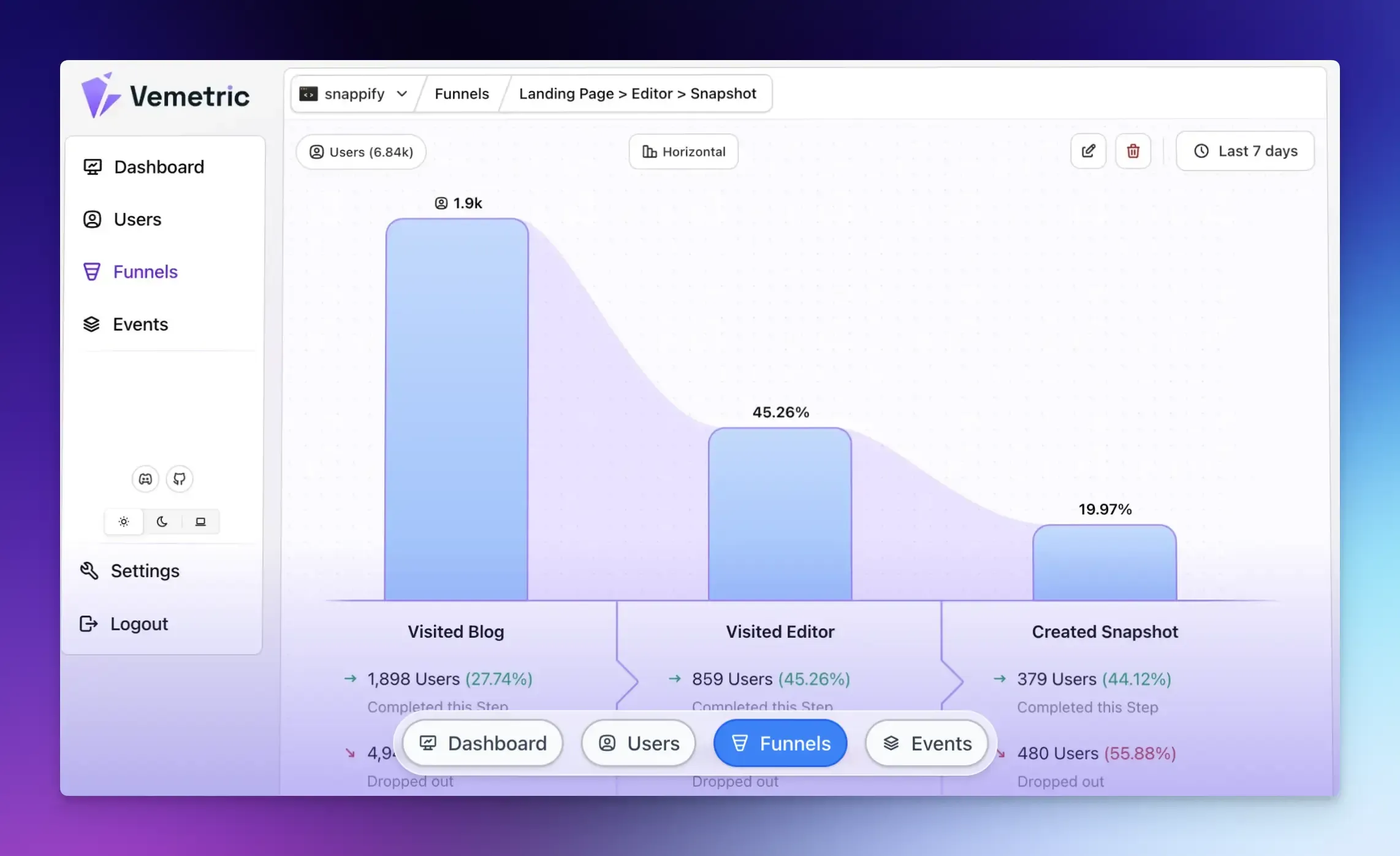
If PostHog feels like too much or you find its feature set overwhelming, Vemetric is worth a look.
Vemetric is an open-source, privacy-first analytics platform that combines website analytics and product analytics into a single dashboard.
It is also cookie-free by default and GDPR compliant with EU-based servers.
While PostHog is powerful but complex, Vemetric is built for teams that prioritize privacy and simplicity.
It offers funnel analysis, user journey mapping, and behavioral data without committing to PostHog’s full feature set.
Choose Vemetric if:
- You want website engagement metrics and product usage insights in one tool.
- You want a simpler, more straightforward interface for tracking user events and behavior.
- You want value for money and just enough data to make decisions without the heavy lifting.
Final Words
Both PostHog and Sentry are excellent tools and can be started for free.
The decision isn’t about which is better, but which one solves your specific problem.
Use PostHog to understand how users interact with your product, run experiments, and build a data-driven product.
Use Sentry when you need reliable error detection, and your engineering team needs to stay ahead of production issues.
For most teams, the smartest move is to use both.
They address different problems and provide an in-depth view of your application’s health and user satisfaction.
Choose based on what you need most today. You can always add the other one tomorrow.
FAQs
Sentry has built-in spike protection that automatically limits inbound event volume during sudden surges, preventing a single incident from consuming your entire monthly quota. PostHog doesn’t face this problem in the same way, since it’s not primarily an error tool. However, heavy event data ingestion during traffic spikes can quickly eat into your free tier limits.
Error tracking captures what broke, including exceptions, crashes, and stack traces. Application performance monitoring (APM) tracks how slow things are, like response times, database query latency, and throughput.
Error tracking is useful at any scale. A solo developer running a small project can use Sentry’s free developer plan or PostHog’s free tier to catch bugs they’d otherwise only hear about from frustrated user emails.