You can get thousands of visitors to your website and still have nothing to show for it.
Without proper conversion tracking, you can spend on ads, publish content, and build product features without knowing what is actually moving people to act. You might think a marketing channel works well, only to realize later that it generates traffic that never buys.
Conversion tracking tools solve this problem. They help you see which pages and campaigns are turning visitors into customers, and which ones are quietly draining your budget.
But the market is full of options, and picking the right one can be challenging.
This guide compares the top conversion tracking tools based on key features and best use cases to make your decision easier.
Why You Should Track Website Conversions?
A conversion is any action you want a user to take. Such as:
- A purchase or sign-up
- Form submission
- Demo request
- Clicking a CTA button
Conversion tracking is the process of measuring how often those actions happen and understanding what led to them.
Without it, you end up optimizing for traffic instead of outcomes. You might have a beautifully designed checkout page that 80% of users abandon before completing a conversion goal. You would never know that without proper tracking in place.
Good conversion tracking software helps you answer three important questions:
- Where are users dropping off?
- Which channels or campaigns actually lead to conversions?
- What changes to your site or product will improve those numbers?
You can see which user flows deserve greater attention and where your tracking is weak to make accurate decisions.
It also helps you understand user behavior, fix broken parts of your sales funnel, and spend your marketing budget on what actually works.
That is the core of conversion rate optimization (CRO), and the tools below are built to help you do exactly that.
Top 7 Conversion Tracking Tools to Consider
Choosing the right tool comes down to your use case, budget, and technical comfort level.
Here’s an overview of the best options, with pros and cons of each tool and who it works best for.
Vemetric
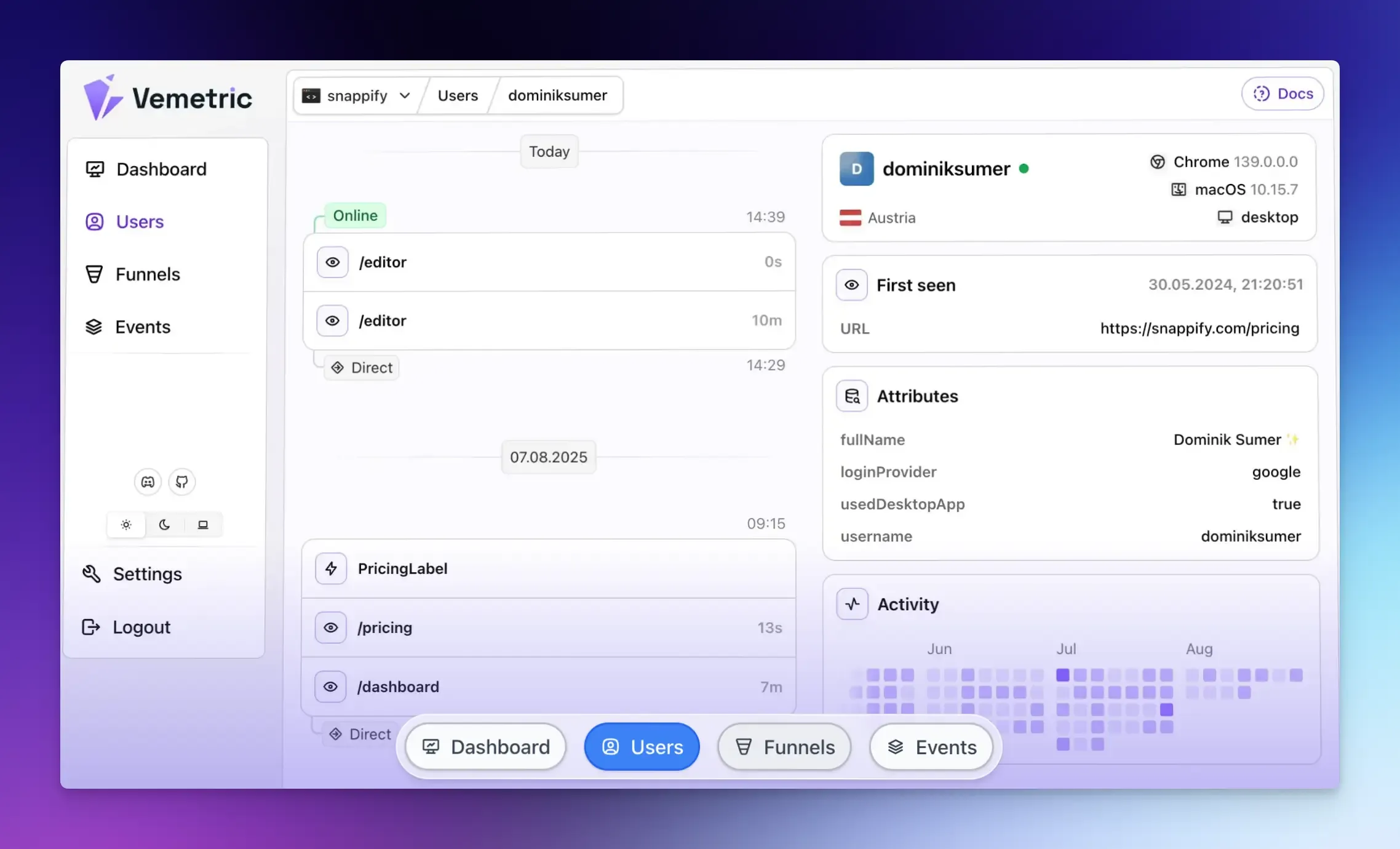
Vemetric is an open-source analytics platform that combines web and product analytics in a single dashboard.
It provides actionable data on user behavior and conversions without the complexity of enterprise tools or the privacy issues that come with cookie-based tracking.
What sets Vemetric apart is its unified approach.
Most businesses need separate tools to measure website engagement and product usage data.
Vemetric handles both, making it a practical choice for SaaS founders and product owners seeking a single source of truth.
Best for: Startups, product teams, and developers who want privacy-first analytics without asking visitors to accept tracking cookies.
Key Features:
- Funnel analysis to track conversion rates across events or page views.
- Full customer journey tracking, including anonymous and logged-in activity across devices.
- Event streams that show a chronological timeline of every action happening in your product.
- Web analytics, including top pages, referrers, bounce rate, and geographic data.
- Cookieless tracking by default, with GDPR compliance and EU-based data storage.
Pros:
- User-friendly interface.
- Covers both web and product analytics.
- No cookie consent banners required.
Cons:
- Newer platform, so some advanced features like self-hosting are still in development.
Pricing: Free plan available (2,500 events/month). Paid plans start at $5/month for 10,000 events.
Google Analytics 4
Google Analytics 4 is a powerful analytics platform for traffic analysis and conversion monitoring.
It is deeply integrated with the rest of the Google ecosystem. If you run paid search campaigns on Google Ads, GA4 gives you a direct line between ad spend and conversions.
It uses an event-based data model, making it more flexible for tracking custom conversion goals such as button clicks, form submissions, video plays, or scroll depth.
Best for: Teams that need a full-featured web analytics platform integrated with Google’s ecosystem.
Key Features:
- Tracks custom conversion events tied to user actions.
- Funnel exploration reports to visualize drop-off points.
- Attribution modeling to understand which channels lead to conversions.
- Real-time reporting with audience segmentation.
- Native integration with Google Ads and Google Search Console.
Pros:
- Completely free for most use cases.
- Google Ads conversion tracking.
- Powerful reporting and exploration capabilities.
Cons:
- It can be confusing for non-technical users.
- Data sampling on high-traffic sites can affect report accuracy.
Pricing: GA4 is free. An enterprise version, GA360, is available with higher data limits at a custom price.
Hotjar
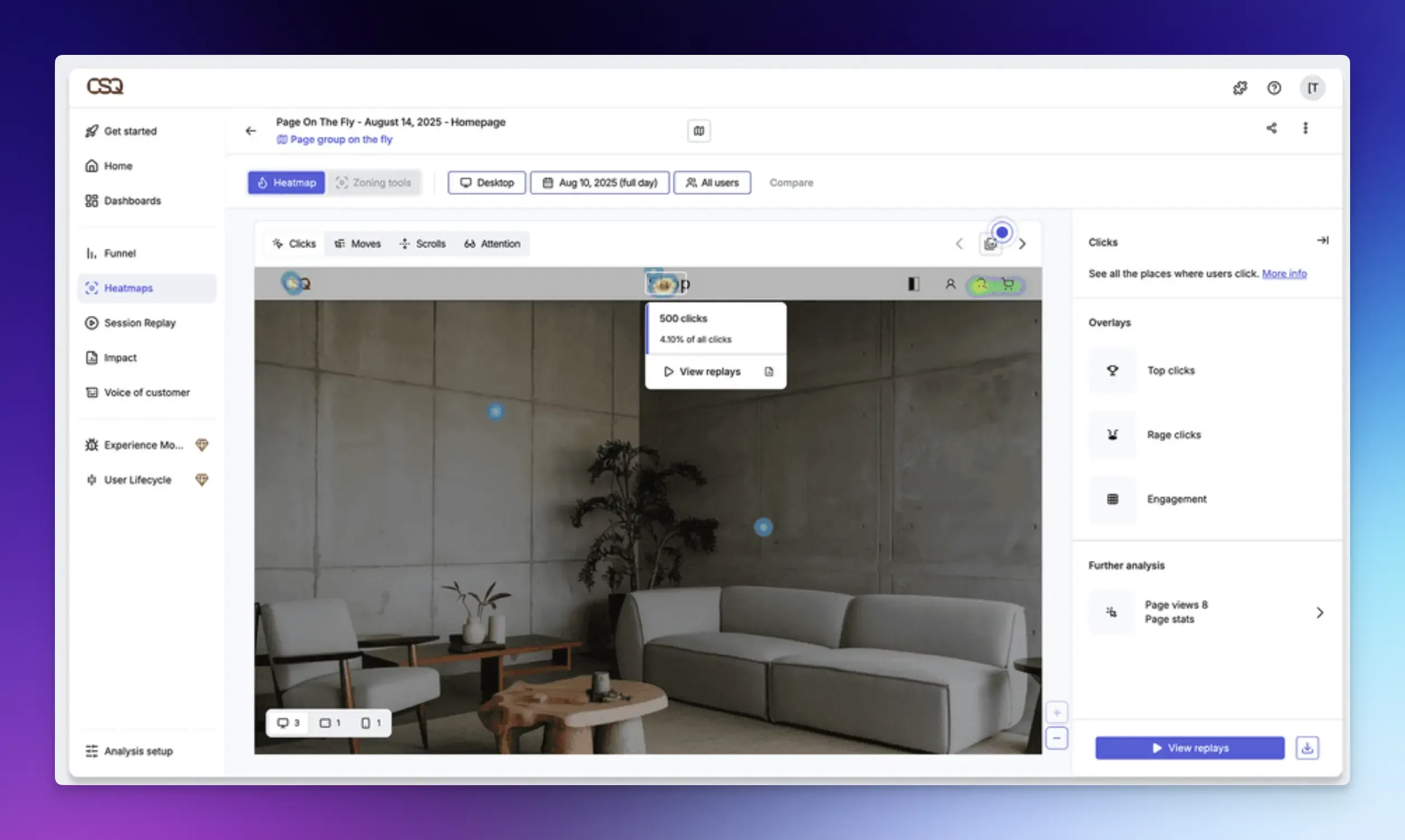
Hotjar is a behavior analytics tool mostly used for heatmaps and session recordings. Where GA4 tells you how many users abandon a page, Hotjar shows you why they left.
Best for: Teams that want to understand why users aren’t converting.
Key Features:
- Click, scroll, and movement heatmaps for any page.
- Session recordings of real user interactions.
- Conversion funnels with recordings of users who dropped off.
- On-site surveys and feedback widgets to collect qualitative input directly from users.
- Net Promoter Score (NPS) tracking.
Pros:
- Super easy to set up.
- Useful for teams doing UX research.
Cons:
- Limited for product analytics or in-app behavior tracking.
- Lots of recordings to watch if you have high traffic.
Pricing: Free plan available. Paid plans start at $39/month.
Mixpanel
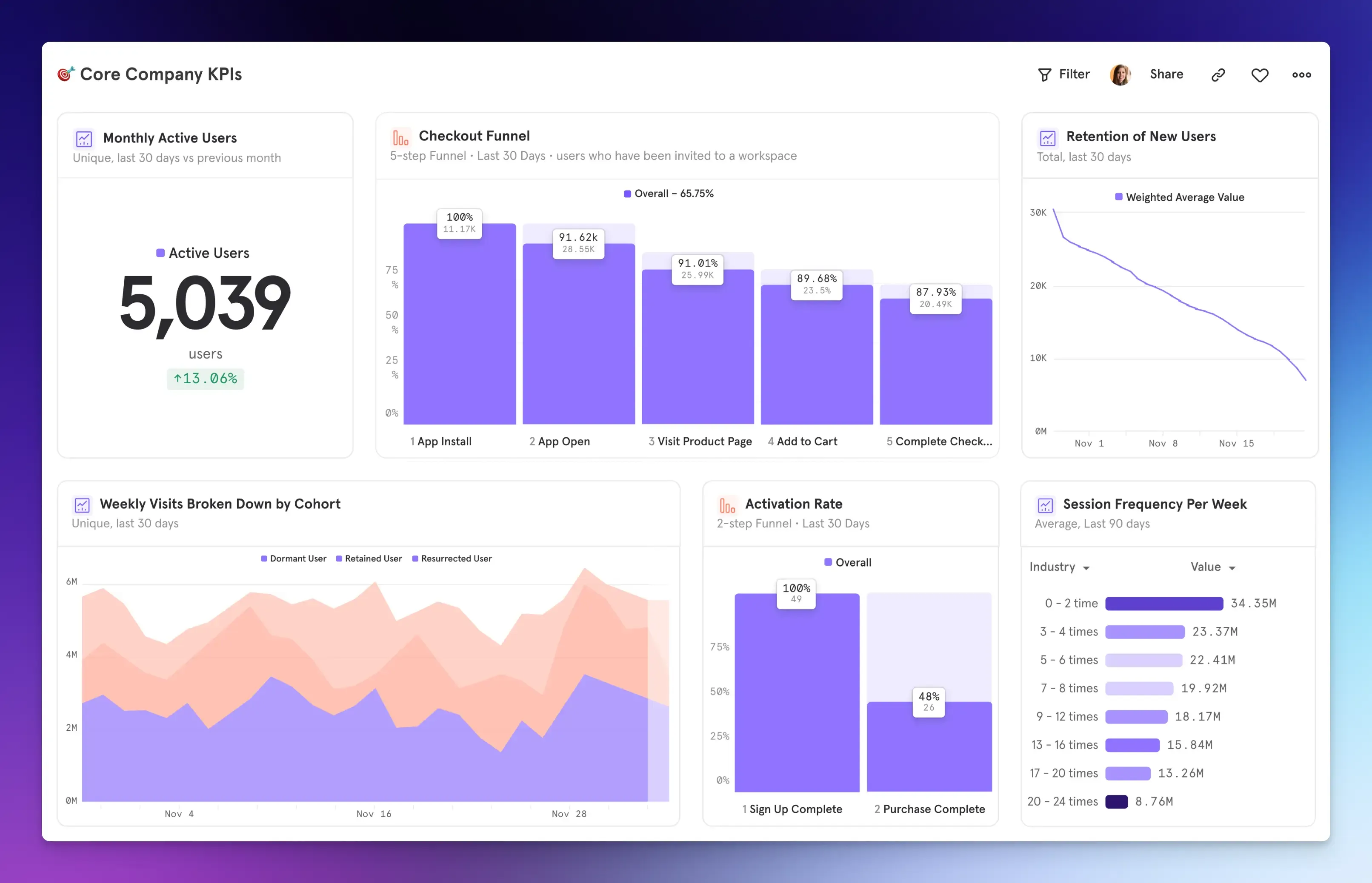
Mixpanel specializes in event-based analytics for digital products and mobile apps. It lets you build custom funnels, measure cohort retention, and identify which behaviors predict conversion or churn.
Best for: Product managers and growth teams that need product analytics and user behavior tracking.
Key Features:
- Custom event tracking for deep behavioral analysis.
- Funnel analysis and cohort-based retention analysis.
- A/B testing and experimentation tools.
- User segmentation and behavioral filtering.
- Real-time reporting and anomaly detection.
Pros:
- Excellent for answering product questions.
- Handles millions of events for enterprise clients.
Cons:
- Can become expensive at scale for high-event-volume products.
- Initial setup requires proper event planning.
Pricing: Free plan up to 1 million events/month. Growth plan starts at $0.28 per 1,000 events.
VWO (Visual Website Optimizer)
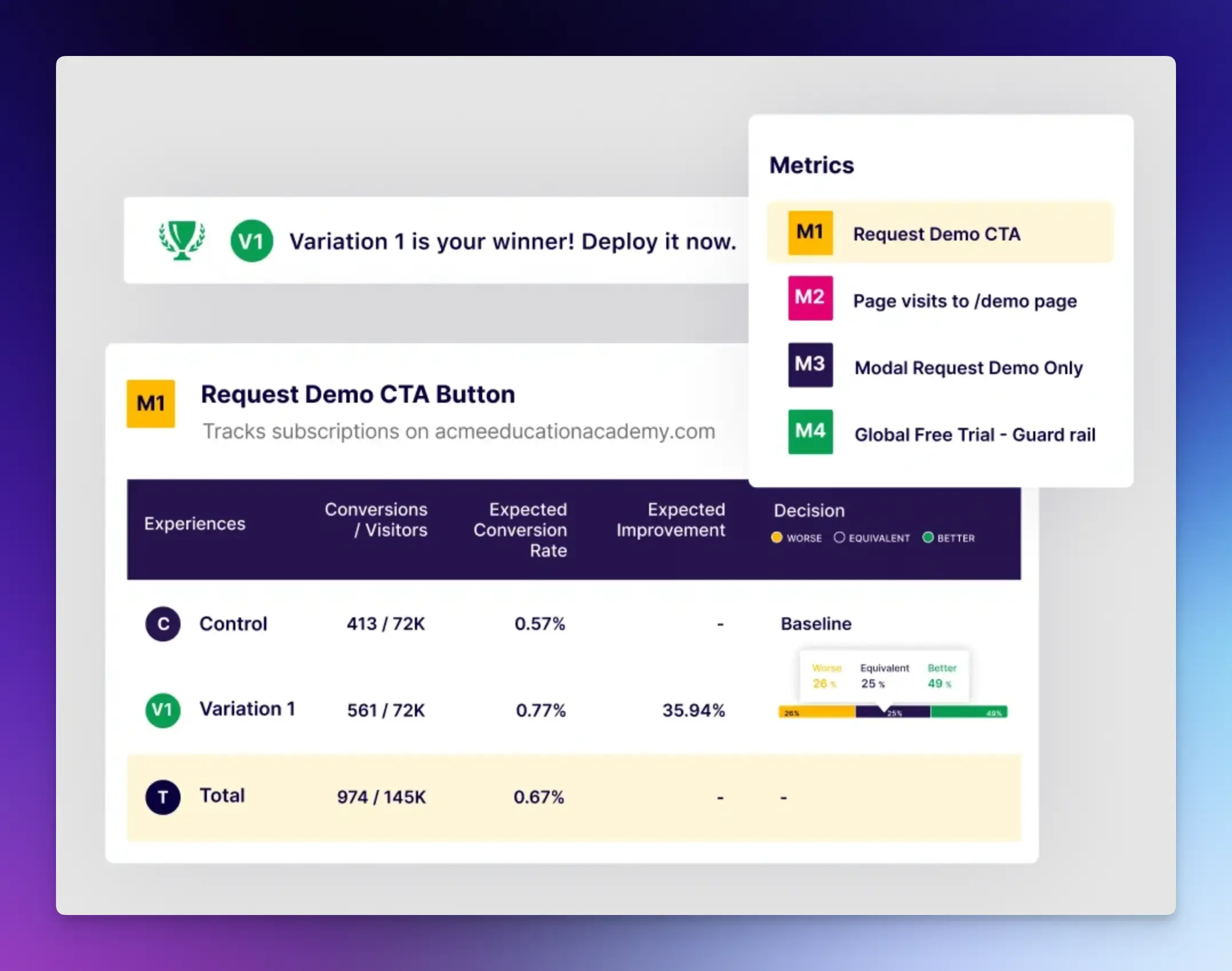
VWO is a conversion optimization tool that combines A/B testing with behavioral analytics in one platform. It helps you understand user behavior and test solutions to improve conversion rates.
Best for: Teams that need to optimize landing pages and onboarding conversion.
Key Features:
- Funnel analysis, heatmaps and session recordings.
- A/B and multivariate testing to find the highest-converting version of a page.
- Built-in personalization, surveys, and on-page polls.
Pros:
- Testing, analytics, and personalization in one tool.
- Built-in project management for optimization teams.
Cons:
- It may be overkill if you only need basic testing.
- Takes time to master the full platform.
Pricing: Custom pricing based on needs.
Kissmetrics
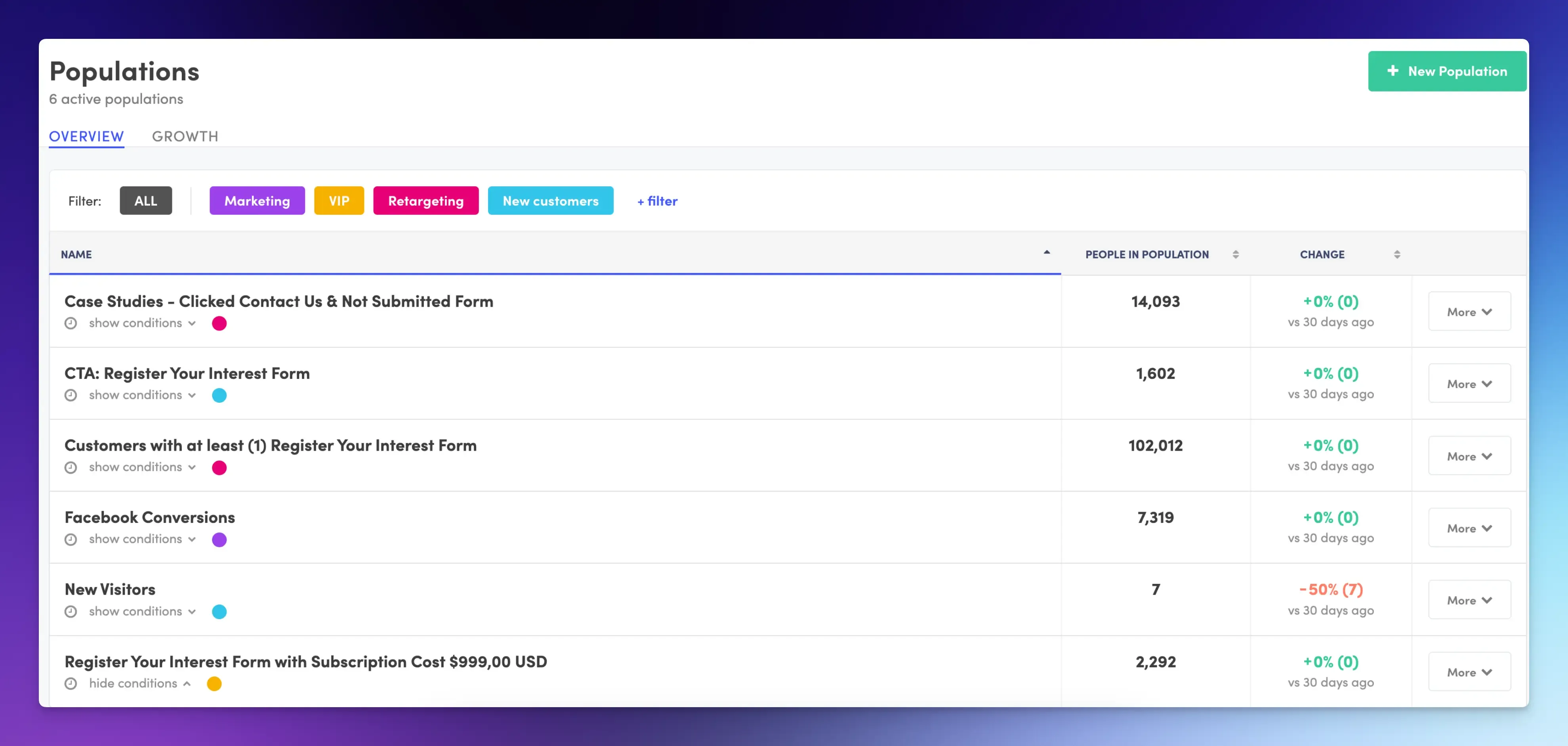
Kissmetrics is a behavioral analytics platform built around a user-level tracking model. It connects every action back to a specific user across devices, sessions, and time. This makes it especially useful for understanding the full customer lifecycle, rather than just individual page performance.
Best for: SaaS companies and ecommerce brands focused on customer lifetime value and revenue-based conversion tracking.
Key Features:
- Funnel reports with revenue attribution at each conversion step.
- Cohort analysis to measure retention and behavior over time.
- A/B testing to measure conversion impact.
- Customer segmentation based on behavior, acquisition source, or revenue contribution.
Pros:
- Connects behavioral data directly to revenue outcomes.
- Strong cohort and retention analysis.
Cons:
- Not practical for early-stage startups or small budgets.
- Limited integrations compared to other tools.
Pricing: Starts at around $99/month.
Matomo
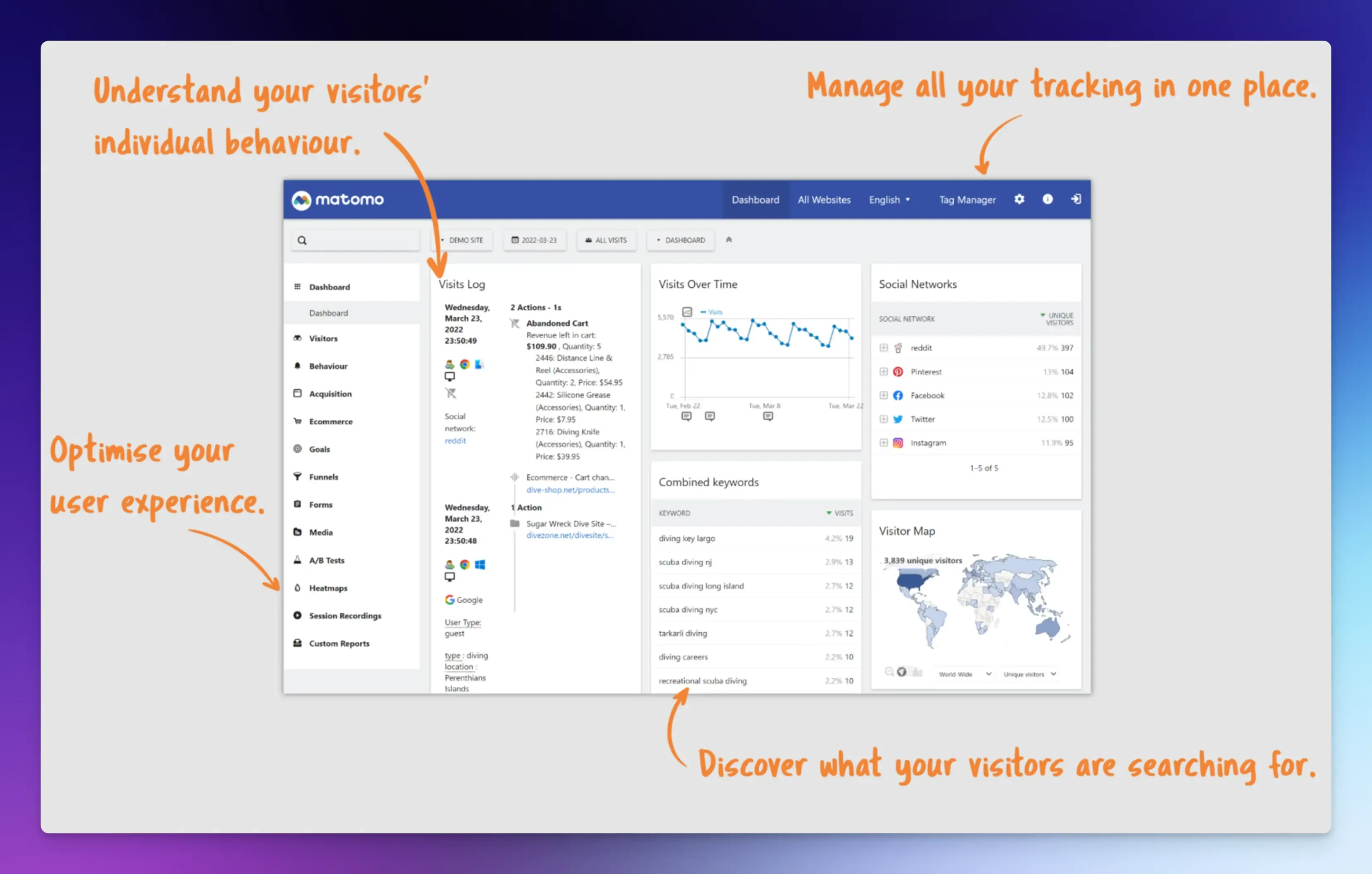
Matomo is an open-source analytics platform that lets you self-host for full control over your data.
It also offers a cloud-hosted version if you do not want to manage your own server, while still maintaining GDPR compliance and EU-based data storage.
Best for: Organizations with strict data privacy and compliance requirements.
Key Features
- Traffic sources, user behavior, and goal conversion tracking.
- Funnel analysis and ecommerce conversion tracking with revenue reporting.
- Supports hundreds of integrations, including WordPress, WooCommerce, and Shopify.
- Self-hosting option with the full open-source codebase available for free.
Pros:
- Cookieless tracking option.
- No data sampling or third-party data sharing.
Cons:
- Self-hosting requires technical setup and ongoing server maintenance.
- Less powerful for in-app product analytics.
Pricing: Self-hosted version is free. Matomo Cloud starts at €22/month.
Final Words
Before setting up tracking, define what a conversion means for your business.
Then pick a conversion tracking tool based on what you are trying to measure, how technical your team is, and how much you want to spend.
Use the conversion data to improve your site, adjust marketing efforts, and fix user experience problems.
What matters most is that you are tracking conversions at all. Without that foundation, every optimization you make is a guess.
FAQs
Review key metrics daily if you run active paid campaigns that need quick adjustments. For most businesses, a weekly overview of conversion numbers and a deeper monthly analysis of trends and funnel performance work well.
Ad blockers prevent many standard tracking scripts from loading, which means conversions from users with ad blockers may go unreported. To minimize data loss, you can implement server‑side tracking, use first‑party cookie alternatives, or employ tools that use cookieless tracking.