You open your restaurant every morning but never count how many customers walk through the door. You’d have no idea if your new menu were working, which dishes people loved, or whether that expensive billboard was worth it.
That’s exactly what running a website without tracking feels like.
If you’re responsible for a website but feel overwhelmed by complex analytics platforms, you’re not alone.
Many website owners want straightforward answers: how many people visited today, where they came from, and which pages they viewed without wrestling with tools that require a degree in data science.
This guide will walk you through everything you need to track website hits effectively.
We’ll cover what tracking actually means, which tools are worth your time, and how to choose the right solution without breaking things or your budget.
What is website hit tracking and Why does it matter?
Let’s clear up the terminology first. When most people talk about “tracking website hits,” they’re usually referring to website traffic.
The number of visitors to their site and what they do once they arrive.
A “hit” technically refers to any file request made to your server, including images, scripts, and stylesheets.
A single page view can generate dozens of hits. What you actually want to know is:
- Page views: How many times people viewed your pages
- Unique visitors: How many individual people visited your site
- Traffic sources: Where visitors came from (Google, social media, direct links, ChatGPT, or any AI Crawler)
- Popular pages: Which content resonates with your audience
- Visitor behavior: What actions people take on your site
Here’s why tracking website page hits matters for your business:
- You stop guessing and start knowing. Instead of wondering whether your blog post performed well, you see exactly how many people read it and whether they stuck around or bounced right away.
- You spot problems before they become disasters. If your checkout page suddenly has zero traffic, you’ll know within hours instead of discovering it weeks later when sales have tanked.
- You justify your marketing spend. When you know which channels bring actual visitors versus which ones waste your budget, you can double down on what works and cut what doesn’t.
- You understand your audience better. Understanding which topics interest people, when they visit, and how they navigate your site helps you serve them better.
Think of website tracking as your business intelligence system. Without it, you’re flying blind. With it, you make better decisions backed by real data.
7 Best Tools to Track Website Hits
We tested dozens of analytics tools to find ones that actually work for people who hate complexity. Here’s what made the cut, organized from simplest to most powerful.
Vemetric
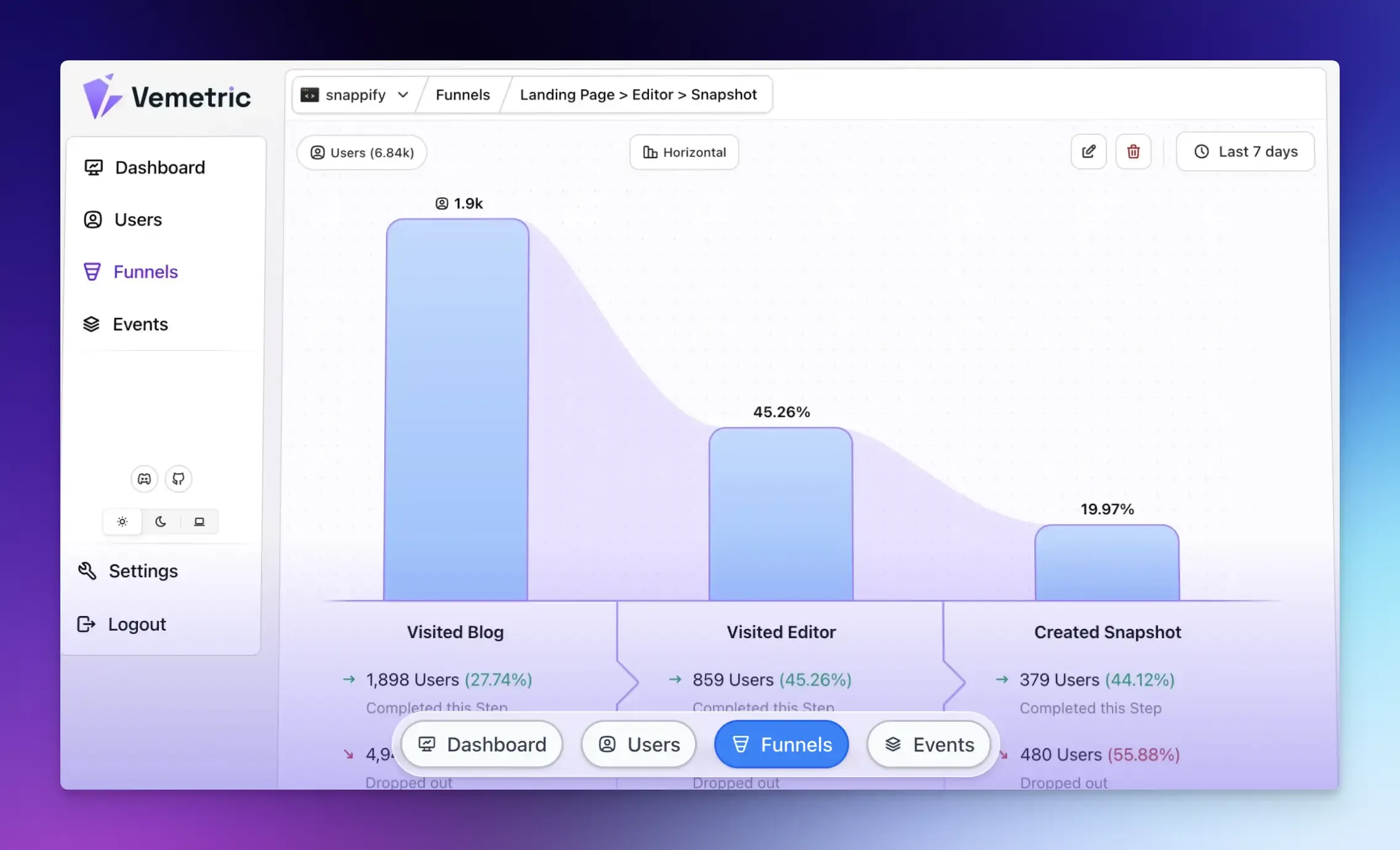
Vemetric is an open-source analytics platform that strikes a rare balance between being simple enough for beginners and powerful enough for serious product teams.
It handles both web analytics (marketing pages, blogs) and product analytics (user journeys, funnels) in one clean interface.
Best for: Startups, SaaS companies, and anyone who wants straightforward insights without the overwhelm of enterprise tools.
Key features:
- Clean, single-page dashboard that shows everything at a glance
- No-cookie tracking by default (GDPR compliant from day one)
- User journey tracking that connects anonymous and logged-in sessions
- Funnel analysis to see where people drop off in your conversion process
- Real-time event streams so you know what’s happening right now
- Hosted in the EU with full data privacy protection
Pricing: Free up to 2,500 events per month (2 projects, 2 seats). The Professional plan starts at $5/month for 10,000+ events, with unlimited projects and seats.
Honest Take: This is what Google Analytics should have been. The interface makes sense instantly, setup takes minutes, not hours, and it gives you just enough data without drowning you in reports you’ll never use. The free tier is genuinely useful for small projects. The only downside is it’s relatively new, so some advanced features are still in development.
Plausible Analytics
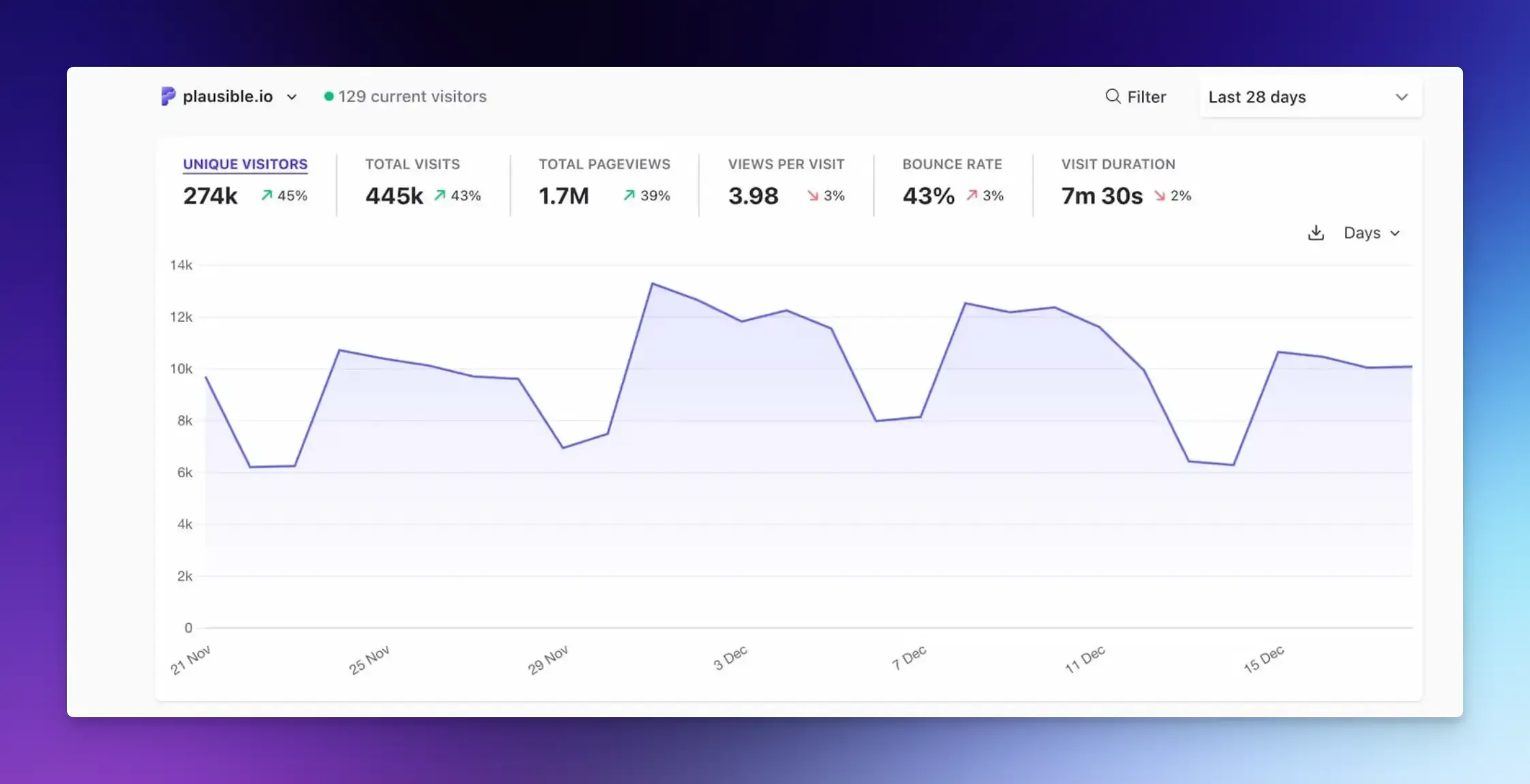
Plausible built its reputation on being the anti-Google Analytics. It’s a lightweight, privacy-first platform that shows your most important metrics on a single page without cookies, personal data collection, or complex configuration.
Best for: Privacy-conscious site owners, bloggers, and businesses that want compliance without compromise.
Key features:
- Incredibly lightweight script (75x smaller than Google Analytics)
- One-page dashboard with all essential metrics
- Automatic scroll depth tracking without complex setup
- AI traffic tracking (see which AI tools send visitors)
- Google Search Console integration
- Fully open-source and self-hostable
Pricing: Free 30-day trial. Plans start at approximately $9/month for 10,000 monthly pageviews.
Honest Take: Plausible delivers on its promise of simplicity. You’ll be up and running in under 5 minutes, and the dashboard actually makes sense. It won’t give you heatmaps or session recordings, but if you just need to know how many people visited and where they came from, this nails it. The script loads so fast your visitors won’t even notice it. Worth every penny if you value your time.
Fathom Analytics
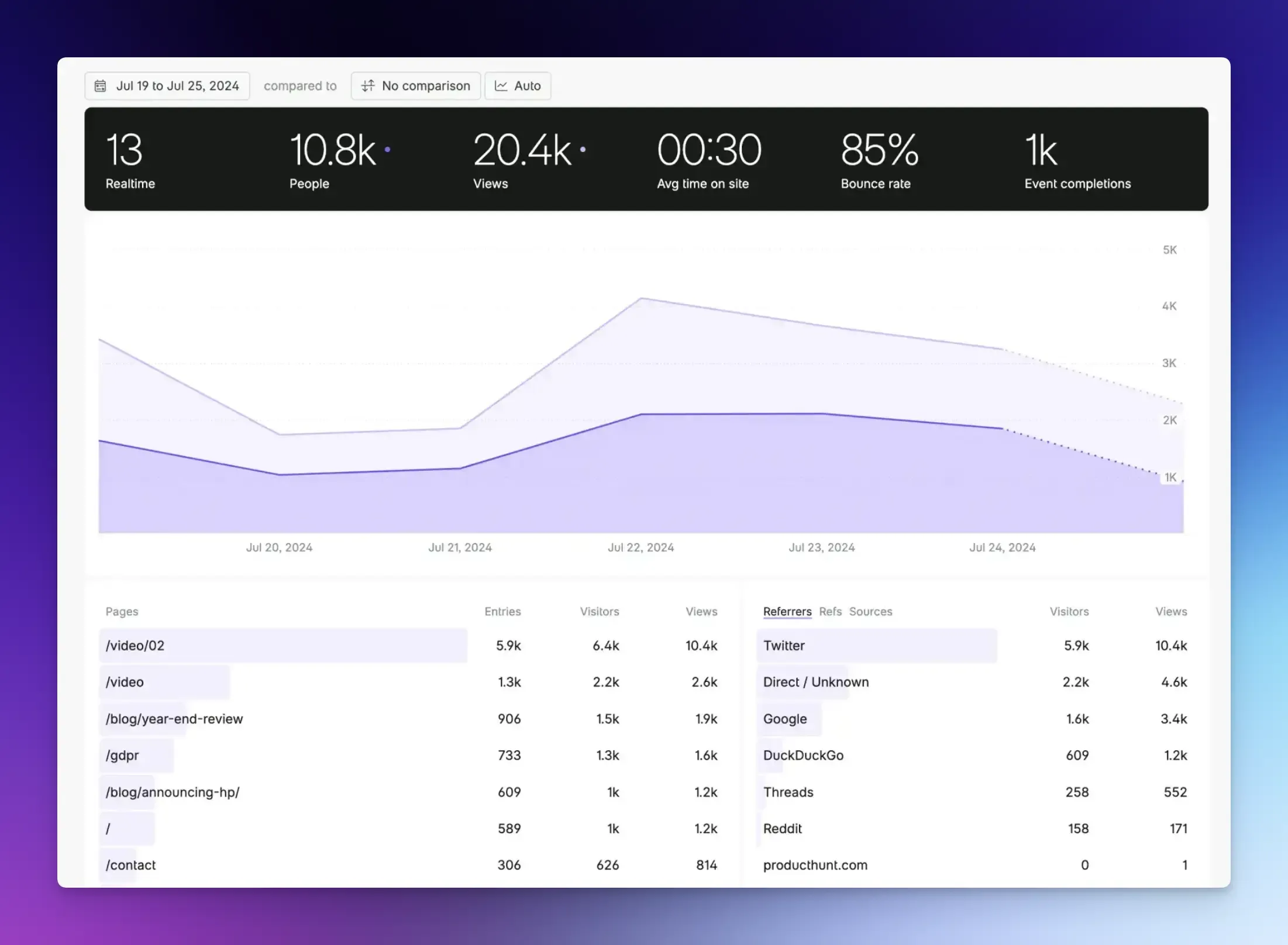
Fathom positions itself as the ethical analytics tool, fast, private, and respectful of users. It blocks bots and spam automatically while providing real-time data on genuine human visits.
Best for: Agencies managing multiple client sites and anyone who wants analytics that won’t slow down their website.
Key features:
- Single line of code integration (works with everything)
- Real-time dashboard with clean metrics
- Automatic bot and spam filtering
- Uptime monitoring included
- Email reports on schedule
- Supports unlimited team members on all plans
Pricing: 7-day free trial. Plans start at $15/month for up to 100,000 pageviews.
Honest Take: Fathom costs more than competitors, but it justifies the price with rock-solid reliability and genuinely useful support. The bot filtering alone saves you from having to question whether your traffic is real. Perfect for agencies, as you can manage all client sites from a single dashboard. If budget isn’t your primary concern and you want “set it and forget it” reliability, Fathom delivers.
Google Analytics 4 (GA4)
GA4 is Google’s analytics platform, a complete rebuild from the ground up with event-based tracking and cross-platform measurement. It’s the industry standard and completely free.
Best for: Businesses that need deep integration with Google Ads, have technical resources, or require extremely granular data.
Key features:
- Free regardless of traffic volume
- Deep integration with the entire Google ecosystem
- AI-driven predictive metrics (churn probability, lifetime value)
- Cross-platform tracking (website + mobile apps)
- Customizable reports and dashboards
- Industry-standard tool that everyone knows
Pricing: Free (enterprise version called Analytics 360 exists but costs six figures annually).
Honest Take: Here’s the uncomfortable truth: GA4 is powerful but punishing to learn. The interface confuses even experienced marketers, setup requires technical knowledge, and finding simple answers takes way too many clicks. It’s free because Google profits from your data in other ways. If you’re already invested in Google’s advertising ecosystem or have a dedicated analyst, GA4 makes sense. For everyone else, the learning curve isn’t worth it when simpler alternatives exist. Most small businesses would be better served by literally any other tool on this list.
Microsoft Clarity
Clarity is Microsoft’s free behavioral analytics tool that shows you why users do what they do through session recordings and heatmaps.
Best for: Anyone wanting to see actual user sessions and behavior without paying for premium heatmap tools.
Key features:
- Unlimited traffic with no data sampling (actually free)
- Session recordings of real user interactions
- Heatmaps showing click, scroll, and attention patterns
- Automatic frustration detection (rage clicks, dead clicks)
- Integrates smoothly with Google Analytics
- Fast setup with minimal configuration
Pricing: Completely free. No paid tiers exist.
Honest Take: Clarity is shockingly good for a free tool. Watching real people navigate your site reveals problems no traffic report ever could. You’ll see where users get confused, where they give up, and what actually captures attention. The catch? It won’t give you traffic numbers or sources on its own. Use it alongside another analytics tool for complete coverage. The fact that it’s genuinely free forever with unlimited usage makes it a no-brainer addition to your toolkit.
Matomo
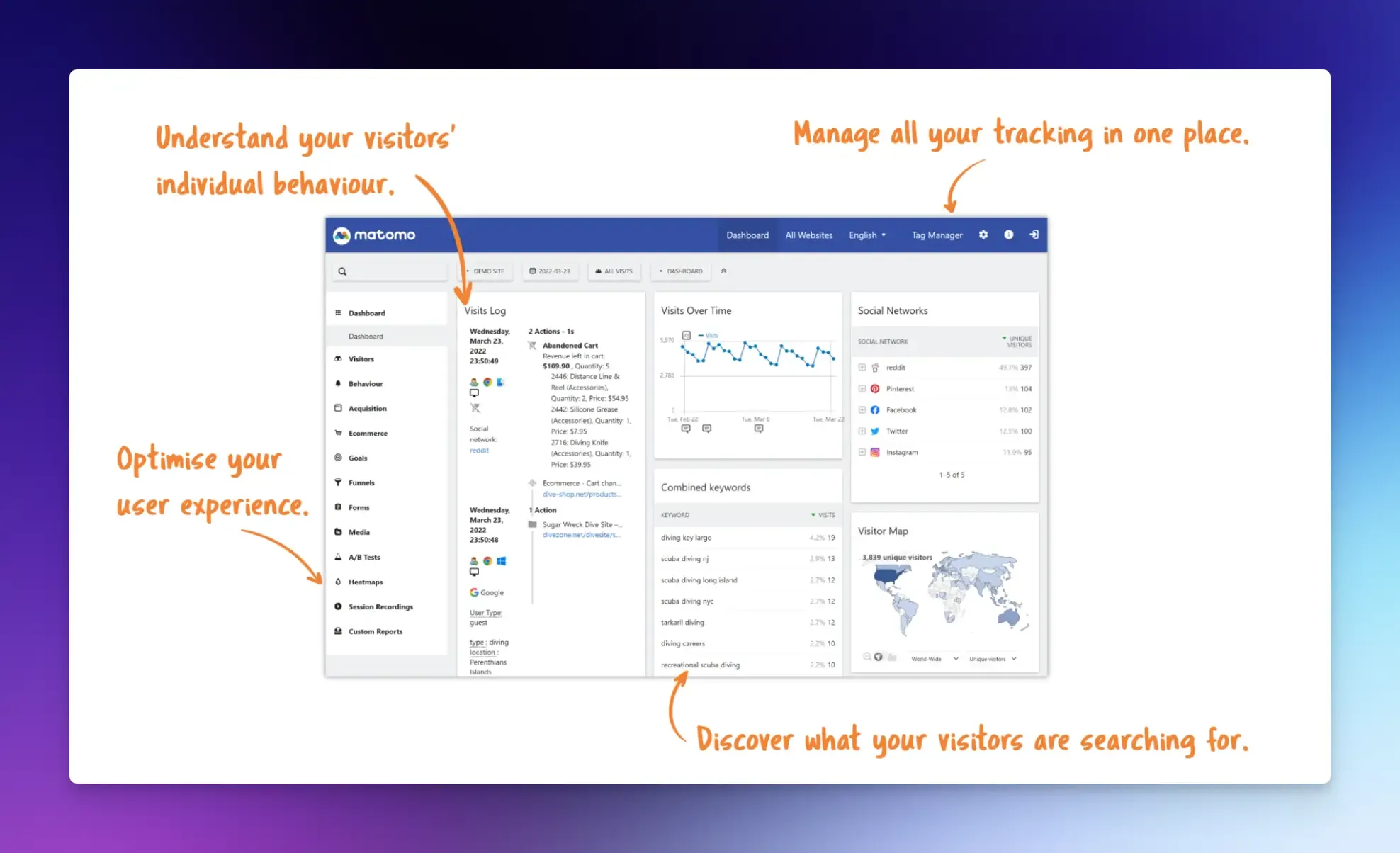
Matomo is the most feature-complete Google Analytics alternative, offering 100% data ownership. You can host it yourself or use their cloud service, making it ideal for organizations with strict privacy requirements.
Best for: Enterprises, healthcare companies, and organizations that need full control over their data or must comply with strict regulations.
Key features:
- Self-hosted or cloud options available
- 100% unsampled data regardless of traffic volume
- Complete GDPR/CCPA compliance toolkit built in
- Heatmaps, session recordings, A/B testing (premium add-ons)
- Direct data import from Google Analytics
- Comprehensive goal and e-commerce tracking
Pricing: Cloud version starts around $26/month. The self-hosted version is free but requires technical setup and maintenance.
Honest Take: Matomo is what some organizations use when they can’t or won’t use Google Analytics due to privacy concerns. It’s feature-rich and powerful, but that power comes with complexity. The dashboard isn’t as smooth as newer alternatives, and setup requires more technical know-how.
Simple Analytics
True to its name, Simple Analytics cuts through the noise to show you just what matters. It’s built for people who want insights without becoming data analysts.
Best for: Marketers and founders who value clarity over complexity and want to respect visitor privacy.
Key features:
- Genuinely simple interface (the name isn’t lying)
- Cookie-free by default with zero personal data collection
- Auto-collect events (downloads, outbound clicks, email clicks)
- Automated email reports on your schedule
- Mini charts you can embed anywhere
- API access for custom integrations
Pricing: Plans start at $15/month for starter projects, with pricing scaling based on pageviews.
Honest Take: If Plausible is simple, Simple Analytics is simpler. You’ll get your answer within seconds of opening the dashboard. No hunting through menus or decoding cryptic metrics. The trade-off is that it lacks advanced features such as user journeys and funnel analysis.
Final Words
If you ask “How to Choose the Right Tool to Track Hits on a Website”, my answer would be:
- Start with your goal. Are you trying to understand basic traffic patterns, optimize conversion funnels, watch user behavior, or all of the above?
- Consider your team’s technical skills. If you’re comfortable with code and complex dashboards, GA4 or Matomo unlocks good power. If you’re not technical or don’t want to become technical, Vemetric, Fathom, or Simple Analytics will serve you better.
- Think about scale. Will this tool grow with you?
The goal isn’t perfection. It’s getting actionable information that helps you make better decisions about your website. Start simple, measure what matters, and add complexity only when simple is no longer enough.
FAQs
Most tools let you select a date range. Look for the daily breakdown feature in your dashboard.
No. Many tools provide a simple snippet you paste into your site’s header or a plugin (for WordPress). Tools like Vemetric have comprehensive analytics documentation that you can easily follow.
Start with lightweight privacy-focused tools like Vemetric or Simply Analytics. They focus on essential metrics like hits and visits without overwhelming complexity.