It can be hard to figure out how people use your website or app.
Imagine using multiple tools, worrying about data privacy, and still not knowing how your users really act.
On top of that, most analytics tools rely on deep-tracking cookies, and using their complex dashboards can feel like a full-time job.
Why is this a big deal?
Not having a clear view of your users journey means you’re making decisions blindly.
- You put effort into a marketing campaign without knowing which channels actually bring in interested users.
- You spend weeks building a new feature only to realize that users get stuck and quit halfway through the onboarding process.
- With strict privacy laws like GDPR, using non-compliant tools puts your business at risk.
Smartlook is a popular product analytics tool for this job. It lets you record user sessions and see how visitors behave on your website.
But it might not work for everyone.
Your team has grown, or you want simpler prices or features that focus on specific problems.
If you want to try other tools that offer similar features, you have more choices that do the same job, and sometimes more.
This guide lists the best Smartlook alternatives, focusing on ease of use, cost, and how well they work for different types of businesses.
Let’s get started.
Vemetric
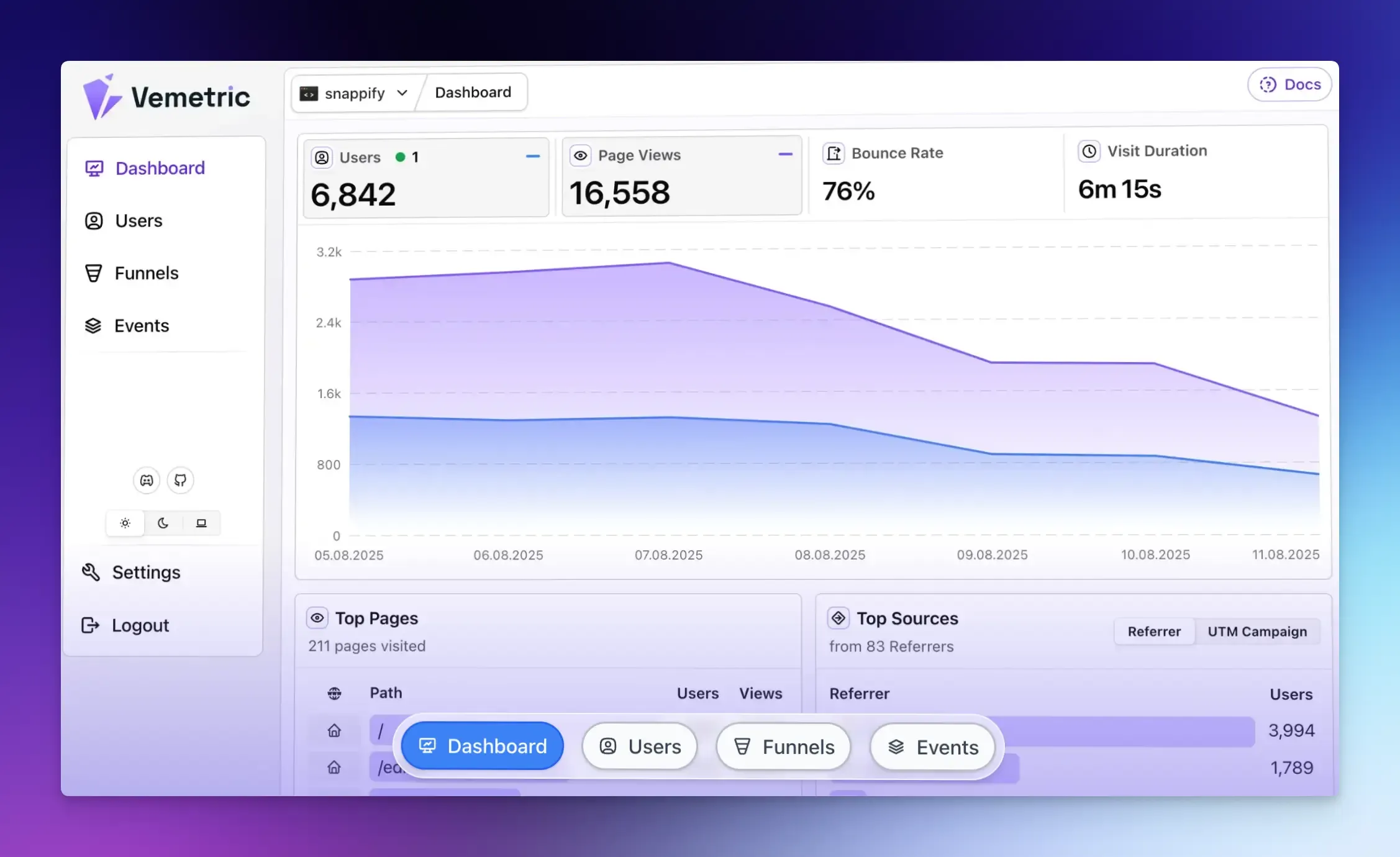
Vemetric is a simple, open-source, and privacy-first analytics platform that delivers powerful insights without any complexity or privacy concerns.
Its dashboard gives you a complete view of the customer journey, from a user’s first visit to your marketing website to their daily activity in your web app or software product.
Key Features:
- EU Hosted and No Cookies: Vemetric tracks users without cookies by default and keeps data on EU servers to comply with strict privacy laws. This way, you can handle user data more securely and avoid legal issues.
- Unified Platform: It combines marketing website analytics and product analytics into one tool. This means you don’t need a separate tool like Google Analytics for your homepage and blog.
- User Journeys: Vemetric can merge a user’s anonymous browsing (before they log in) with their logged-in activity. You can save data for specific users and see what features and devices they used. An interactive activity heatmap gives you a visual overview of this journey.
- Conversion Funnels: You can filter these funnels to see how different user groups behave and even track individual users journeys.
- Developer-Friendly: Clean documentation, SDKs for various frameworks, and easy integration.
Best For: Developers, SaaS founders, and businesses that prioritize clean dashboards, easy setups, and data privacy.
Pricing:
- Free plan offers 2,500 events per month.
- The paid plan starts at $5/month (plus VAT, if applicable). It supports 10,000+ events per month and full 5-year data retention.
Glassbox
Glassbox is a digital analytics platform that automatically tracks every user interaction.
It is especially good at tracking user journeys across both web and mobile apps, providing a united view of customer experience.
Key Features:
- Session Replay: You can watch recordings to see exactly what a user saw and did.
- Journey Mapping: This shows you the common paths users take, and where and why they abandon a process. You can segment by audience, dimension, or journey step to view a specific session replay.
- Glassbox Insights Assistant (GIA) gives you a visual overview of customer journeys. It analyzes relevant session data to provide a summary with replays and an estimated revenue impact. It can also send you real-time alerts for anomalies.
Best For: Large enterprises in regulated industries that need data privacy, compliance, and complex analysis across web and mobile.
Pricing: Custom pricing available on request.
Hotjar
Hotjar is one of the most popular tools for visualizing user behavior via heatmaps, session recordings, and surveys.
It combines analytics and research tools into a single platform, eliminating the need for separate tools and turning complex behavioral data into helpful, visual reports that anyone on a team can understand.
Key Features:
- Session Recordings: Watch an individual user’s behavior across pages.
- Heatmaps: See where users click the most and how far down they scroll on a page. This shows you if your key content or call-to-action buttons are being seen or ignored. Engagement zone heatmaps let you view engagement patterns by combining click, move, and scroll data into a single grid.
- Surveys and Feedback: Place a feedback widget on any page or create targeted surveys to ask why people are leaving or how they feel about a new feature. You can even use AI to help generate survey questions and summarize results.
- User Interviews: Hotjar Engage helps you recruit and schedule live user interviews for qualitative insights.
Best For: E-commerce and marketing websites that want to combine visual behavior data with direct customer feedback.
Pricing:
- Offers a free plan with 200k monthly sessions.
- Paid plans start at $40/month and scale with session and pageview volumes.
LogRocket
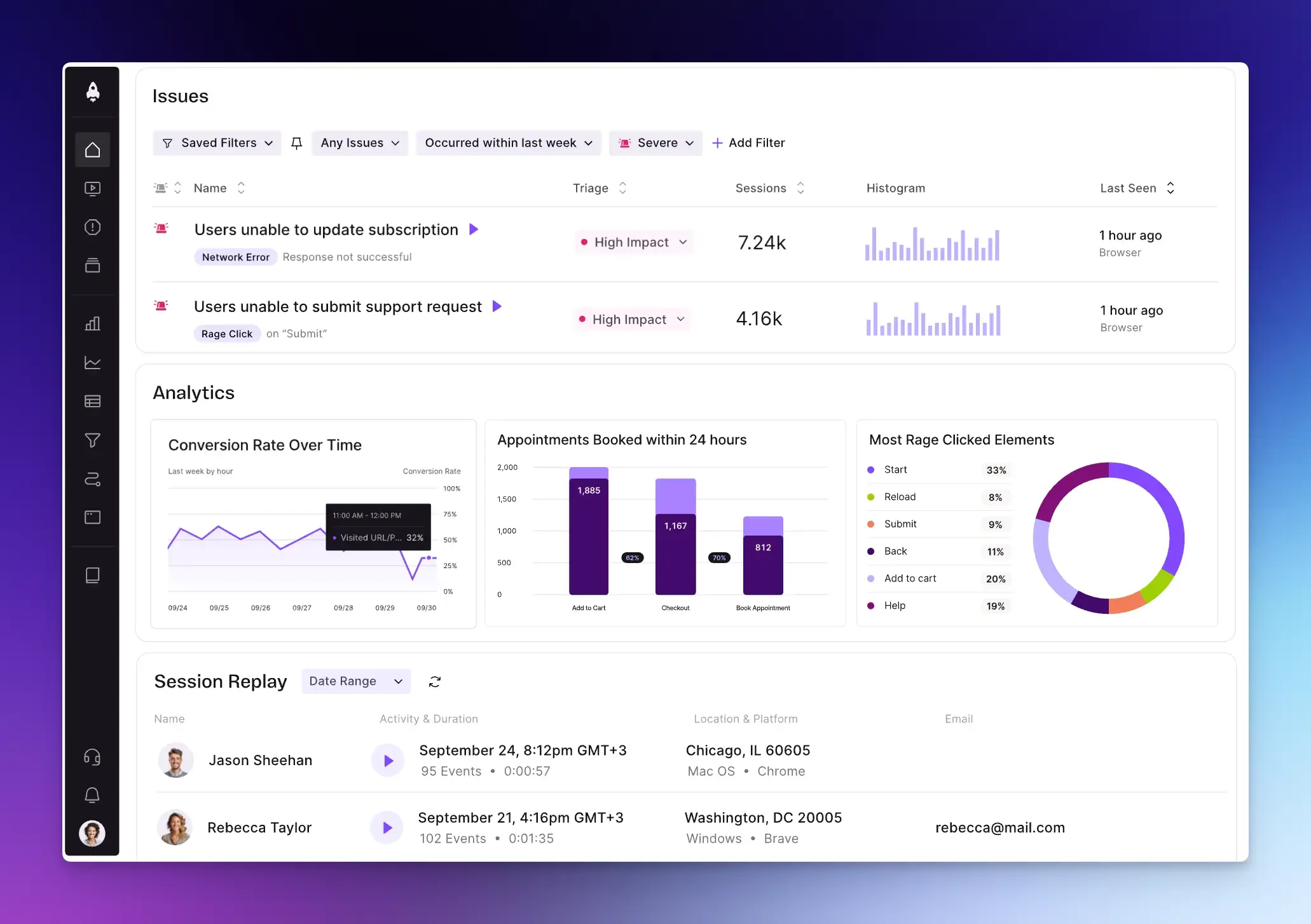
LogRocket combines session replays, error monitoring, and performance metrics with technical data like console logs and network requests. This makes it incredibly powerful for solving tricky bugs and improving user experience.
Key Features:
- Session Replay: Watch real user sessions to see what was on their screen. You can sync these replays with technical logs. If a user sees an error, you can see the corresponding JavaScript error and the failed network request, making it easy to diagnose problems.
- Performance Monitoring: Track web vitals, CPU and memory usage, network performance, and page load speed to identify whether slow page load times are causing users to leave.
- Product and UX Analytics: Create conversion funnels to see where users drop off, use heatmaps to see popular click areas, and analyze user paths.
- AI Error Tracking: LogRocket’s AI watches all sessions to automatically detect errors, helping you prioritize the most critical issues.
Best For: Developers, product managers, and customer support teams focused on improving user experience.
Pricing:
- Free for basic use (includes 1000 monthly sessions).
- Paid plans start at $69/month for web only. Mobile plan costs $139/month.
Mouseflow
Mouseflow is a behavior analytics platform for marketing and product teams that want an accessible tool for visualizing website interactions and improving conversion funnels.
One of its unique features is automatic friction detection and scoring that helps you prioritize which sessions to watch first, saving you hours of manual review.
Key Features:
- Heatmaps and Session Replay: See a video replay of individual user sessions, including their mouse movements, clicks, and navigation to spot friction points or bugs.
- Journey and Funnel Analysis: See the common paths users take through your site and identify exactly where they abandon key processes, such as sign-up or checkout.
- Form Analytics: Analyze how users interact with your forms.
- Feedback Surveys: Use on-page surveys or feedback widgets to gather user feedback in real time.
Best For: Marketing, e-commerce, and UX teams aiming to reduce bounce rates through visual user behavior analysis.
Pricing:
- Offers a free plan with basic features.
- Paid plans start at $25/month.
Pendo
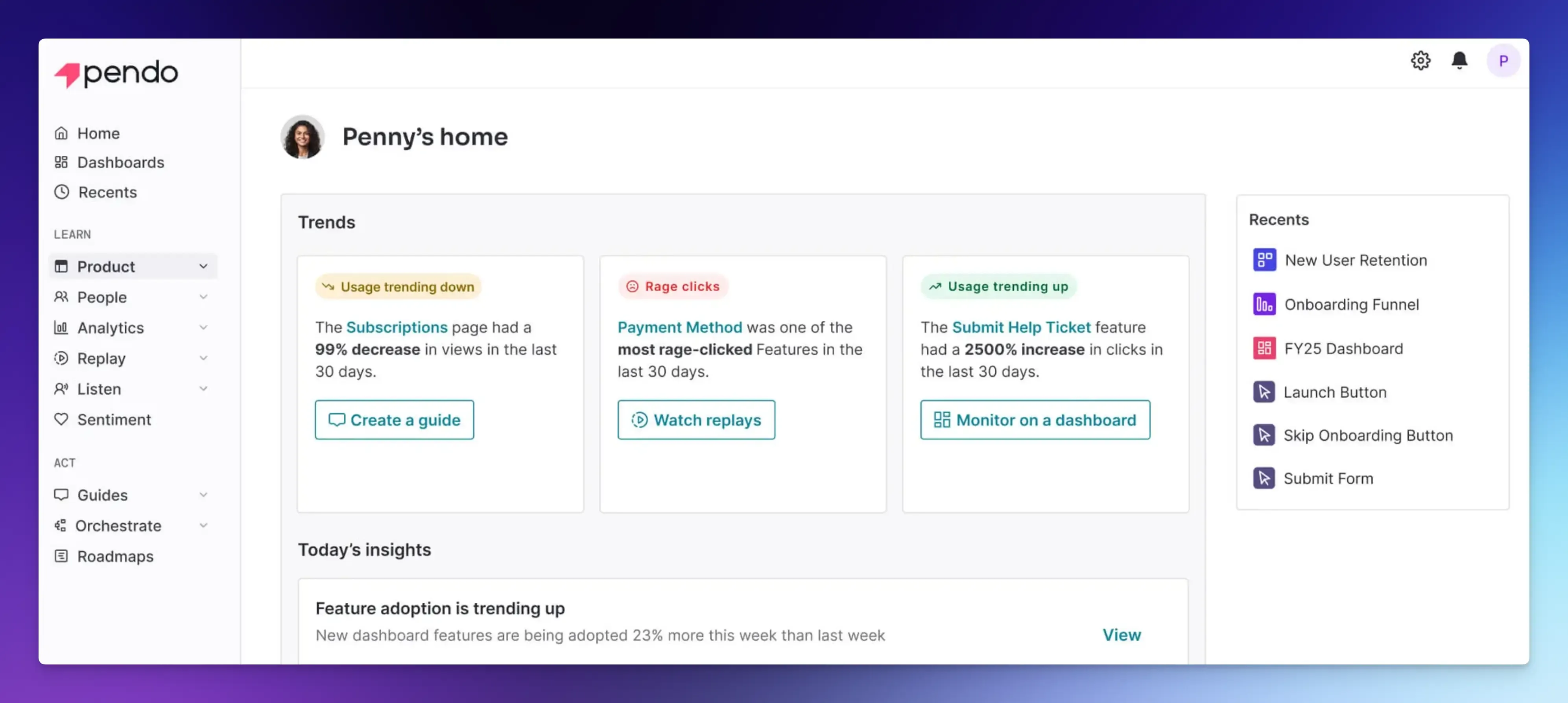
Pendo is an all-in-one platform for product teams who want to understand customer behavior.
It brings together analytics, user feedback, product validation tools, and interactive guides into a single platform to improve user experience and adoption.
Key Features:
- Product Analytics: Funnels, trends, and user behavior analysis with event autocapture. You can analyze this data to see popular user paths and measure feature adoption rates.
- In-App Guides: Build interactive guides and walkthroughs directly into your product without writing code.
- User Feedback: Launch surveys, collect direct feedback, and let users vote on feature ideas.
- Session Replay: Watch real user sessions to find and fix issues.
- Personalized User Journeys: Create automated, cross-channel campaigns that combine guides and emails.
Best For: B2B SaaS companies looking to improve new user onboarding and experience at scale.
Pricing: Custom pricing plans available on request.
Userpilot
Userpilot is a product growth platform that goes beyond simple analytics by combining session replays and funnel analysis with powerful engagement tools.
This enables product teams to analyze user behavior and immediately act on those insights to improve the experience.
Key Features:
- User Engagement: Build interactive guides and onboarding flows using a no-code visual editor.
- Product Analytics: Automatically capture key actions and feature use. Also includes session recordings, funnels, cohort and path analyses, and user segmentation.
- User Feedback: Launch in-app surveys using 30+ templates.
- Mobile App Analytics: Track user behavior and monitor key metrics like active users, drop-offs, and top screens in your mobile app.
Best For: SaaS companies, product managers, and growth teams that want to act on insights without coding.
Pricing: No free plan. Pricing starts at $299/month for up to 2,000 monthly active users.
Final Words
This concludes our list of the best Smartlook alternatives that fit different needs and budgets.
We have included both enterprise-level tools and low-cost choices for small businesses, so you can find something that works for you.
Whether you want better privacy, faster insights, or easier setup, these alternatives can help you make better decisions about your website.
Try a few out with free trials, and see how they improve your online presence.
FAQs
You can combine tools for different needs, like one for recordings and another for heatmaps, but it’s recommended to use a single tool for consistency and easier data management.
Without the right settings, they can capture sensitive data, such as passwords, credit card numbers, personal messages in a chat, or private information entered into a form. This is why the privacy features of the tool you choose are so important.